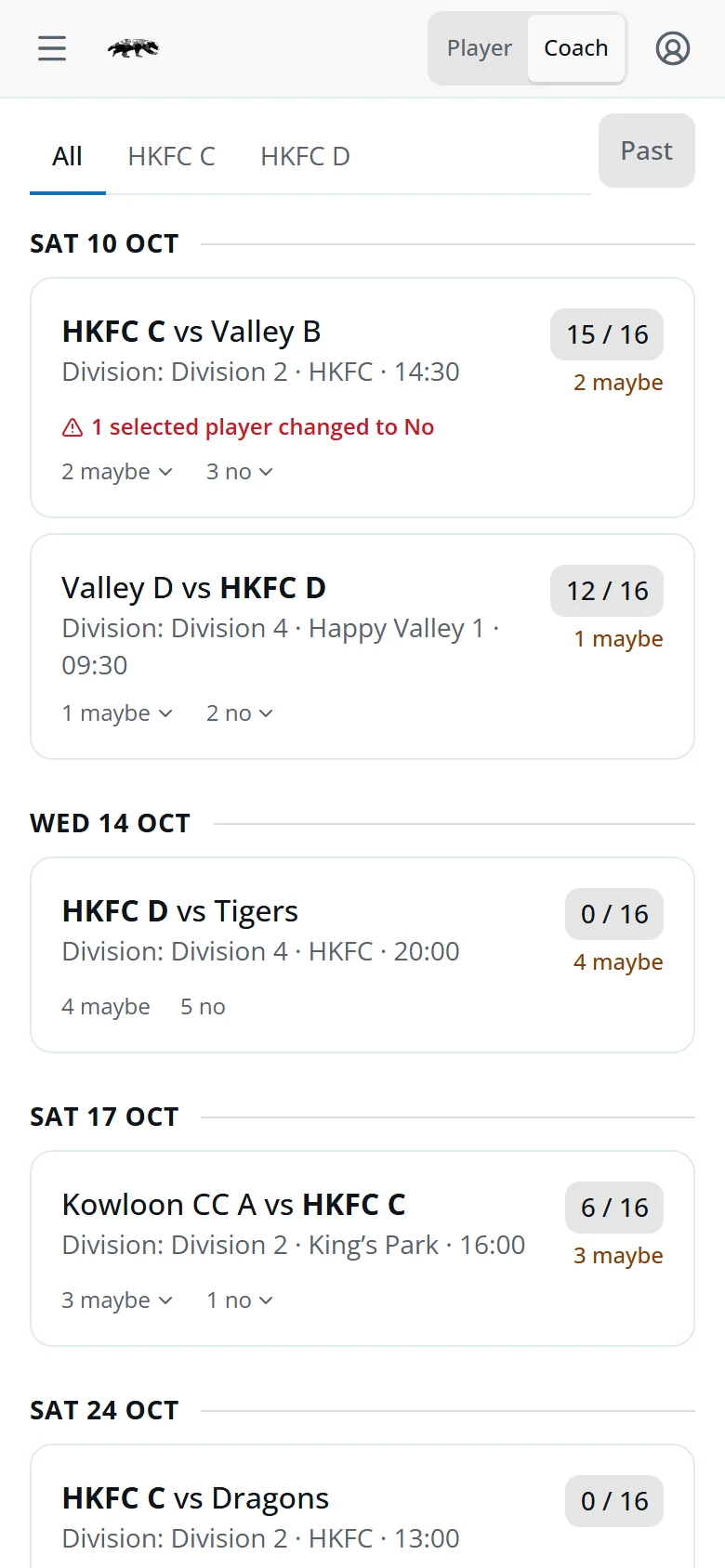
A match week in three steps
-
Check the dashboard
See who's in and who's out for every fixture.
-
Pick and save
Tap a fixture, tap players to select them, then tap Save.
-
Tell the squad
Tap Notify and paste the message into your team's WhatsApp group.
Switch to Coach view
Coaches sign in like everyone else. Tap Coach in the switch at the top of the screen. Player takes you back to your own fixtures.
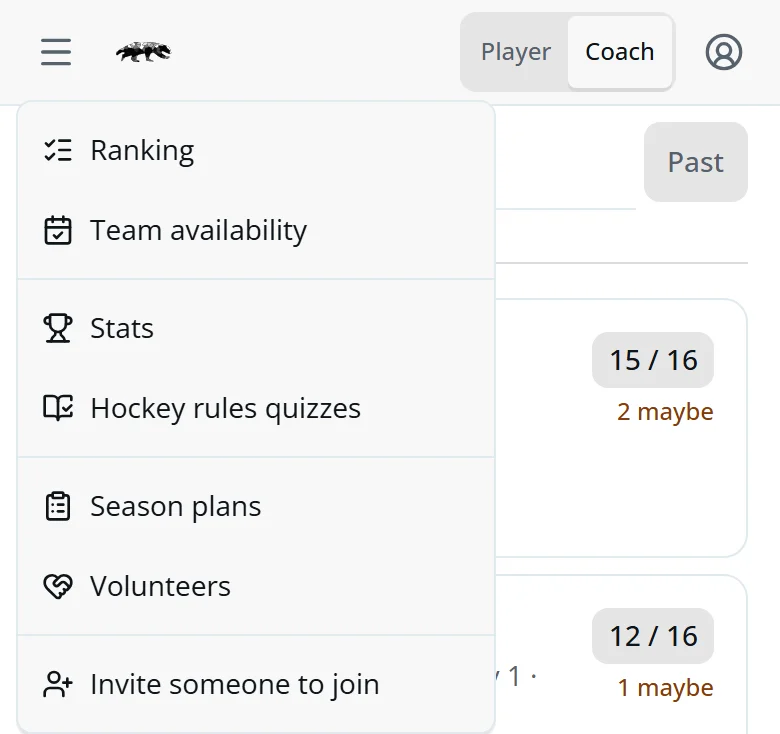
- ☰ MenuRanking, Team availability, Season plans and Volunteers.
- Your accountHelp opens this guide.

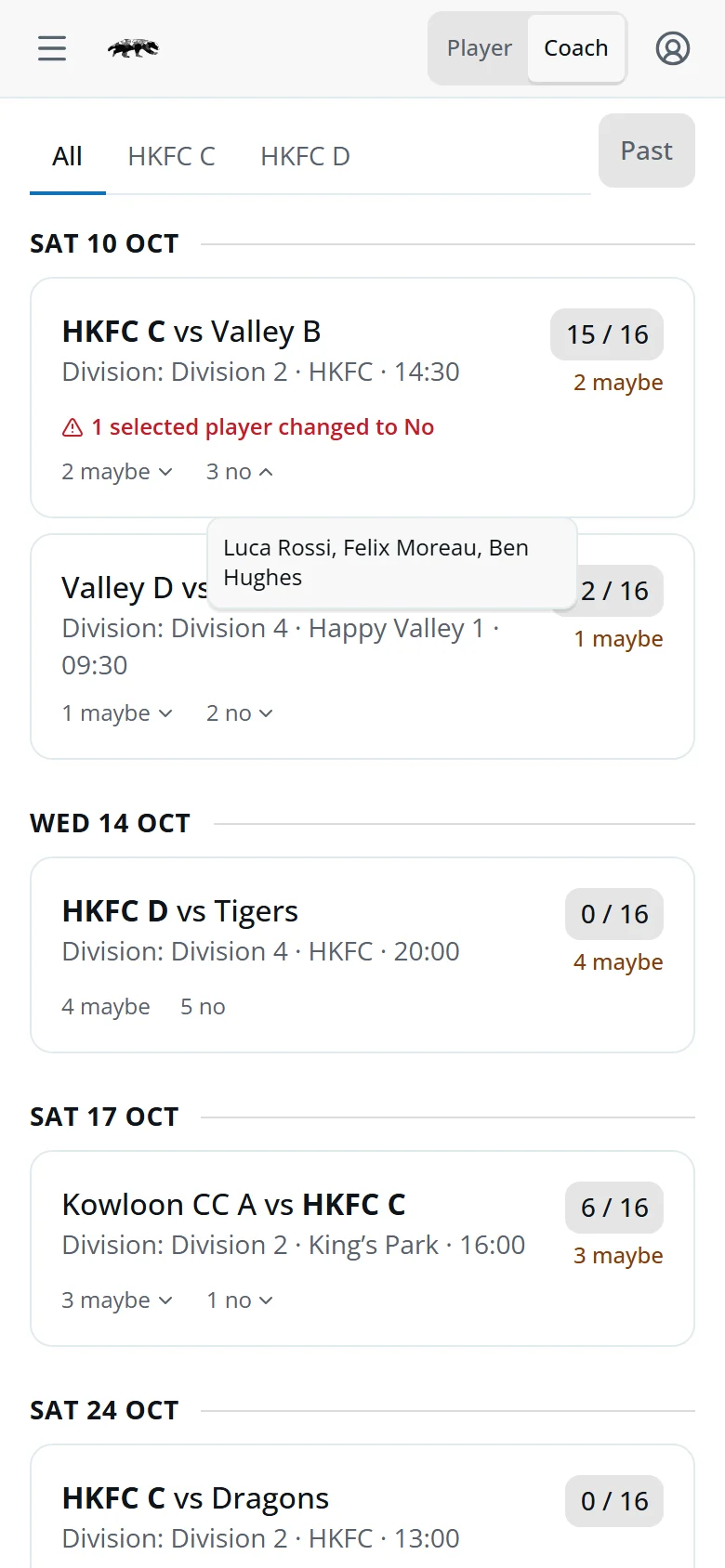
Every fixture at a glance
- 15 / 16Selected, out of the squad size.
- 1 shortHow many more players you need, in the last two days.
- 1 selected player changed to NoSomeone you picked has since said No.
- ⚠ in the countA player is picked for two teams that day. Tap it to see who.
- 2 maybe ⌄ · 3 no ⌄Tap to see who.
Coach more than one team? Use the tabs to show one at a time. With a team open, the calendar icon beside Past adds its fixtures to your calendar.
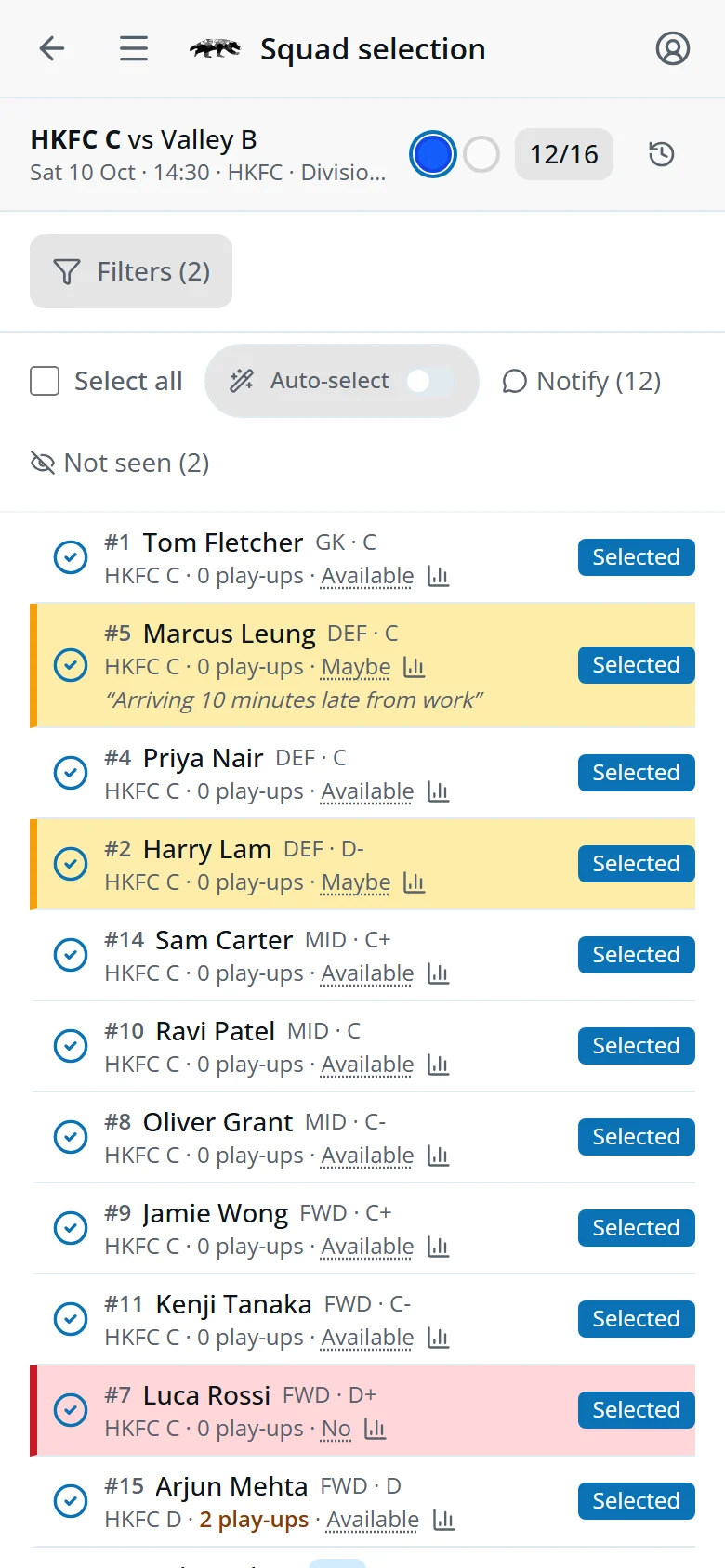
Picking the squad
- Tap a fixture on the dashboard.
- Tap players to select or deselect them.
- Tap Save at the bottom.
Tap the blue or white circle to set the kit colour. That saves straight away.
Yellow rows are Maybe and red rows are No. Players' notes show under their names. Use Filters to search or narrow the list.
The clock icon shows who changed the squad, and when.
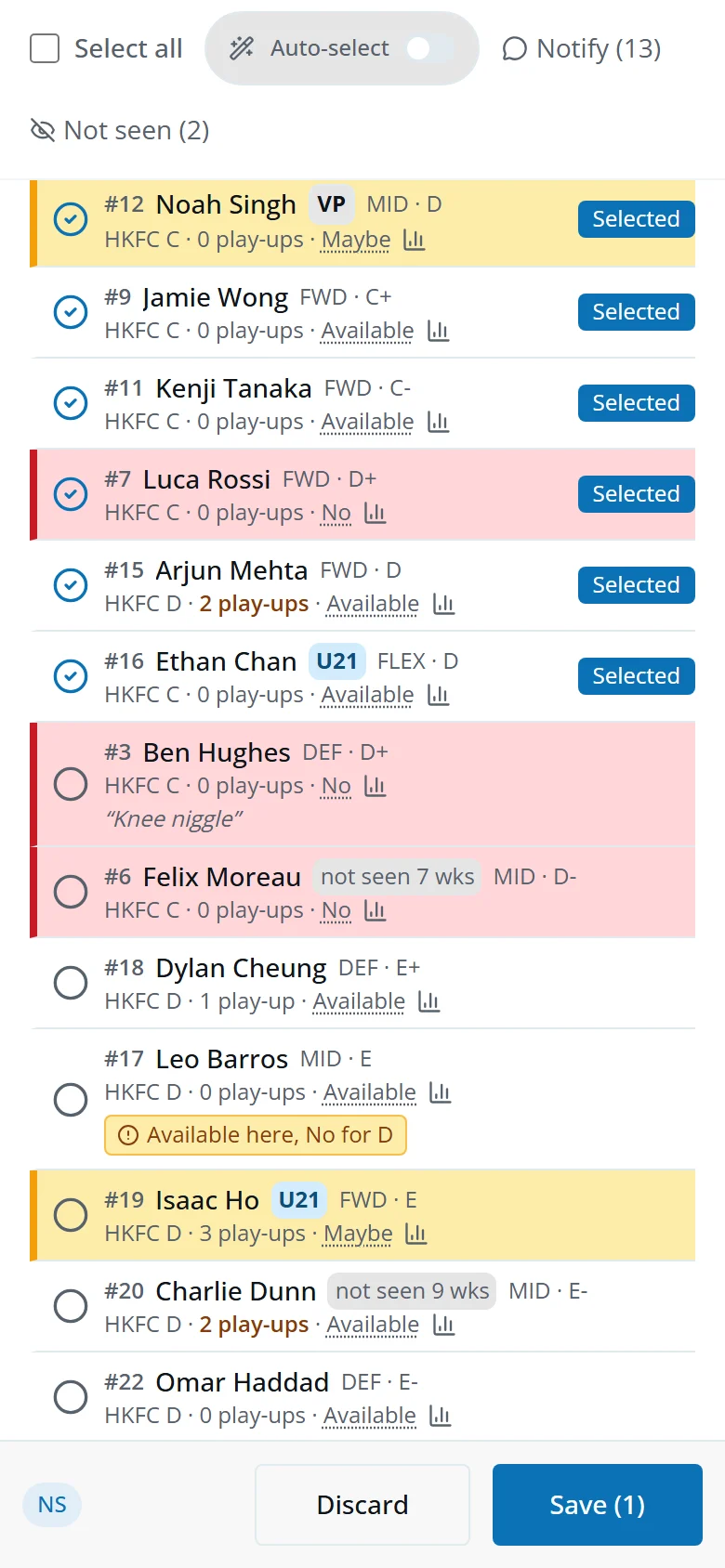
What the badges mean
- 2 play-upsPlay-ups used this season. Amber at 2, red at the limit of 3 (U21s: 8).
- ⊘ Red chipCan't play, and why.
- ⓘ Amber chipCan play, but check first.
- U21 · VPUnder-21 or visiting player.
- 📊Opens the player's season stats.



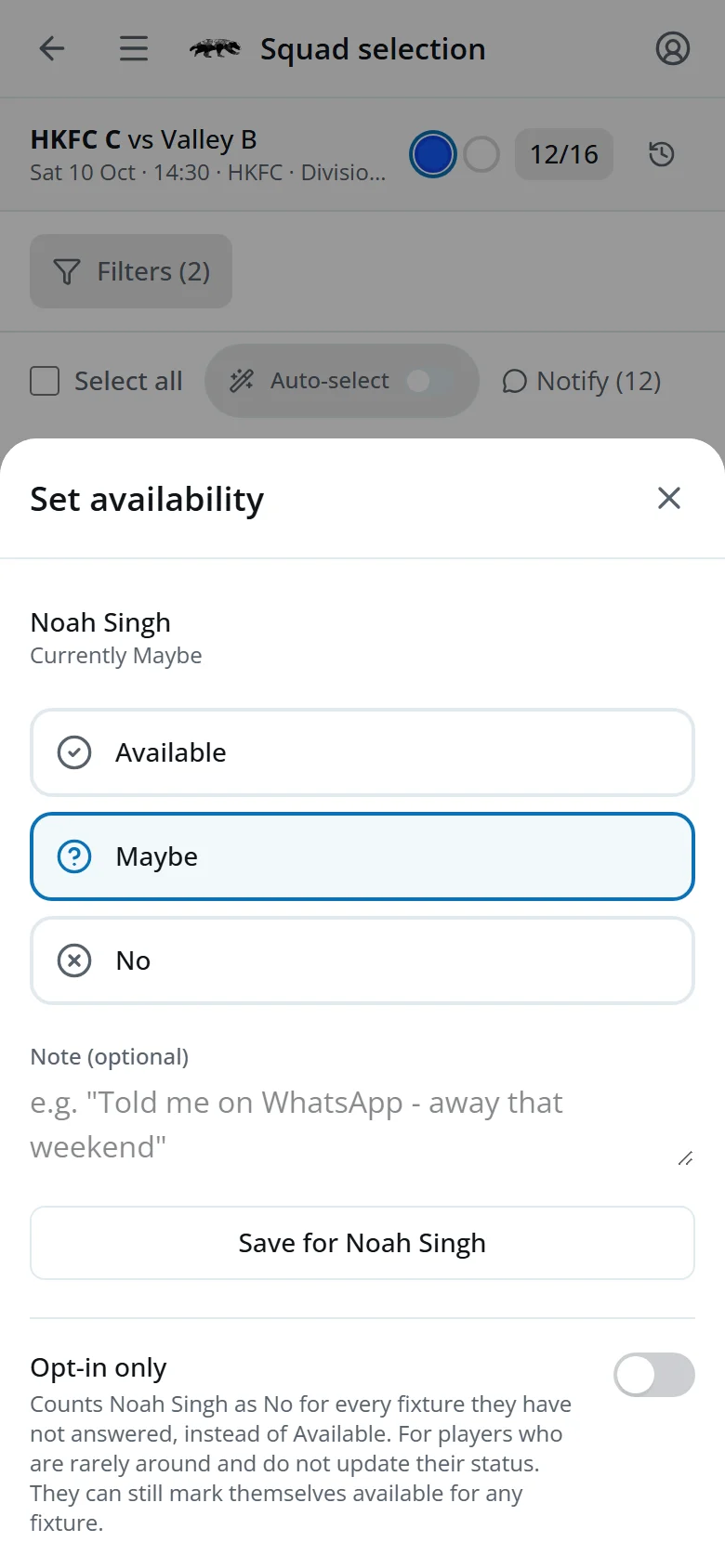
Answer for a player
- Tap the underlined answer in their row.
- Pick their answer and add a note if useful.
- Tap Save for Noah Singh.
Opt-in only is for players who are rarely around and never update the app. They count as No unless they answer.
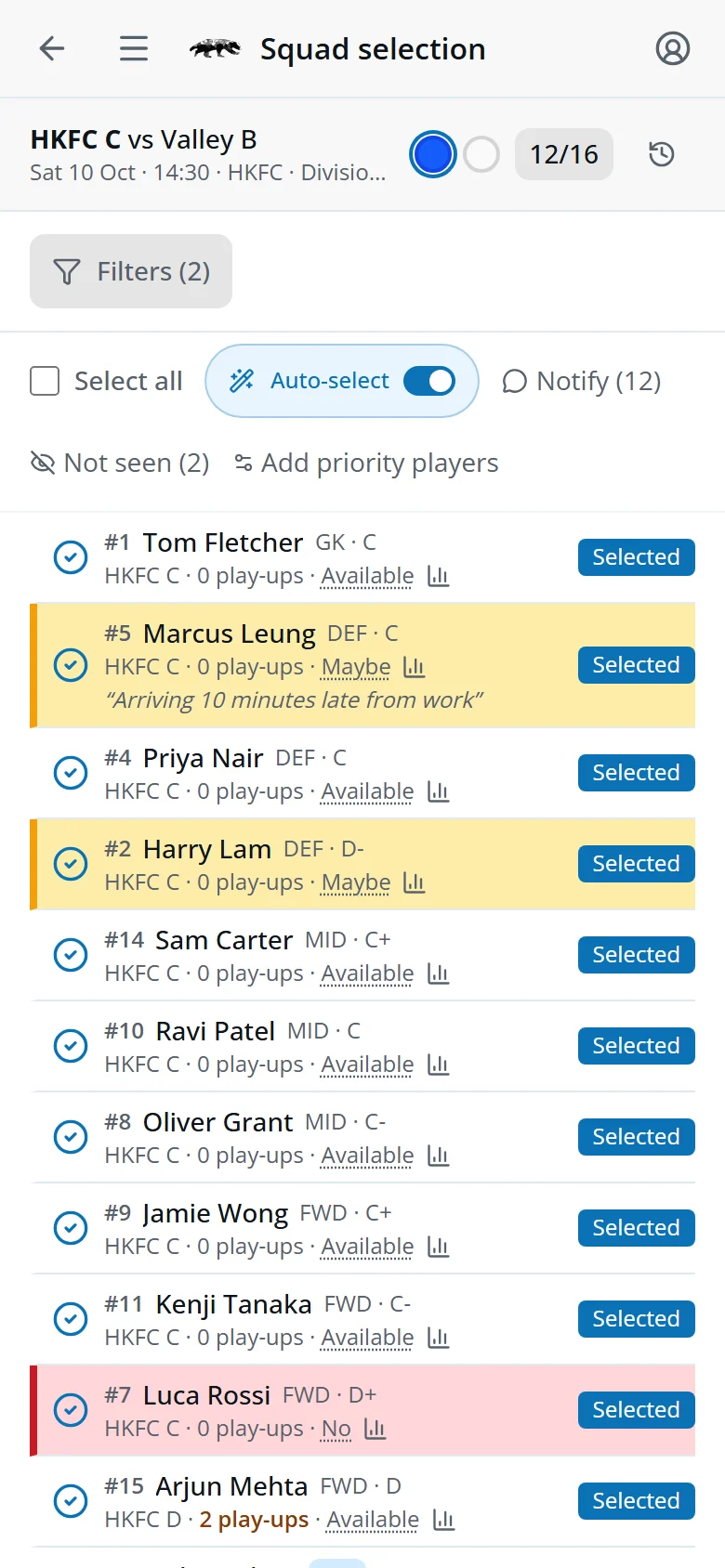
Auto-select your regulars
- Turn on Auto-select.
- Tap Add priority players and choose your regulars.
- Tap Save priority list.
They're then picked automatically whenever they're eligible and available. You can still change the squad by hand.
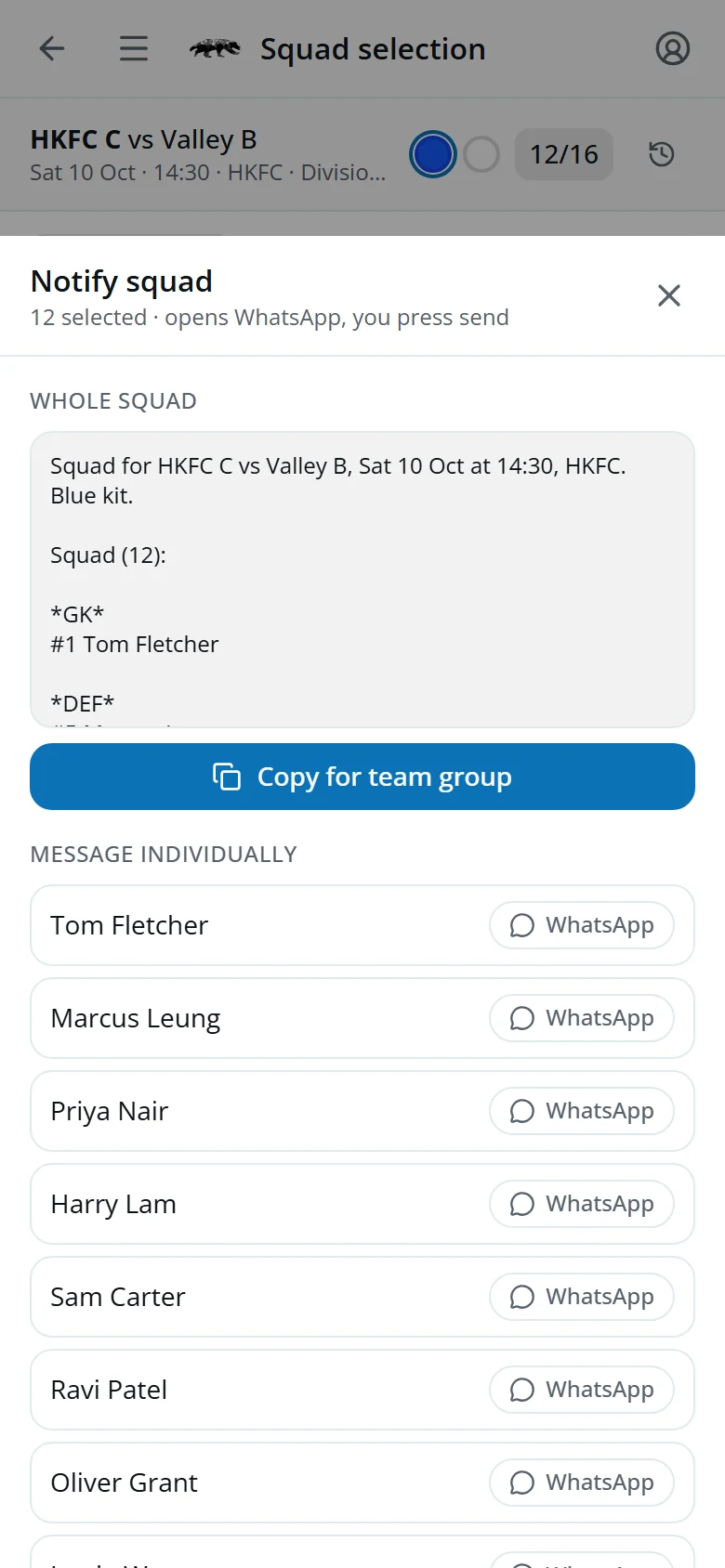
Send it on WhatsApp
Save the squad first, then tap Notify.
- GroupCopy for team group copies the fixture details and squad list for your team chat.
- 1-to-1Tap WhatsApp beside a player to message them.
Not seen (2) lists the players who haven't opened Eddy for six weeks or more and haven't answered. Send them a nudge the same way.
Rank the section
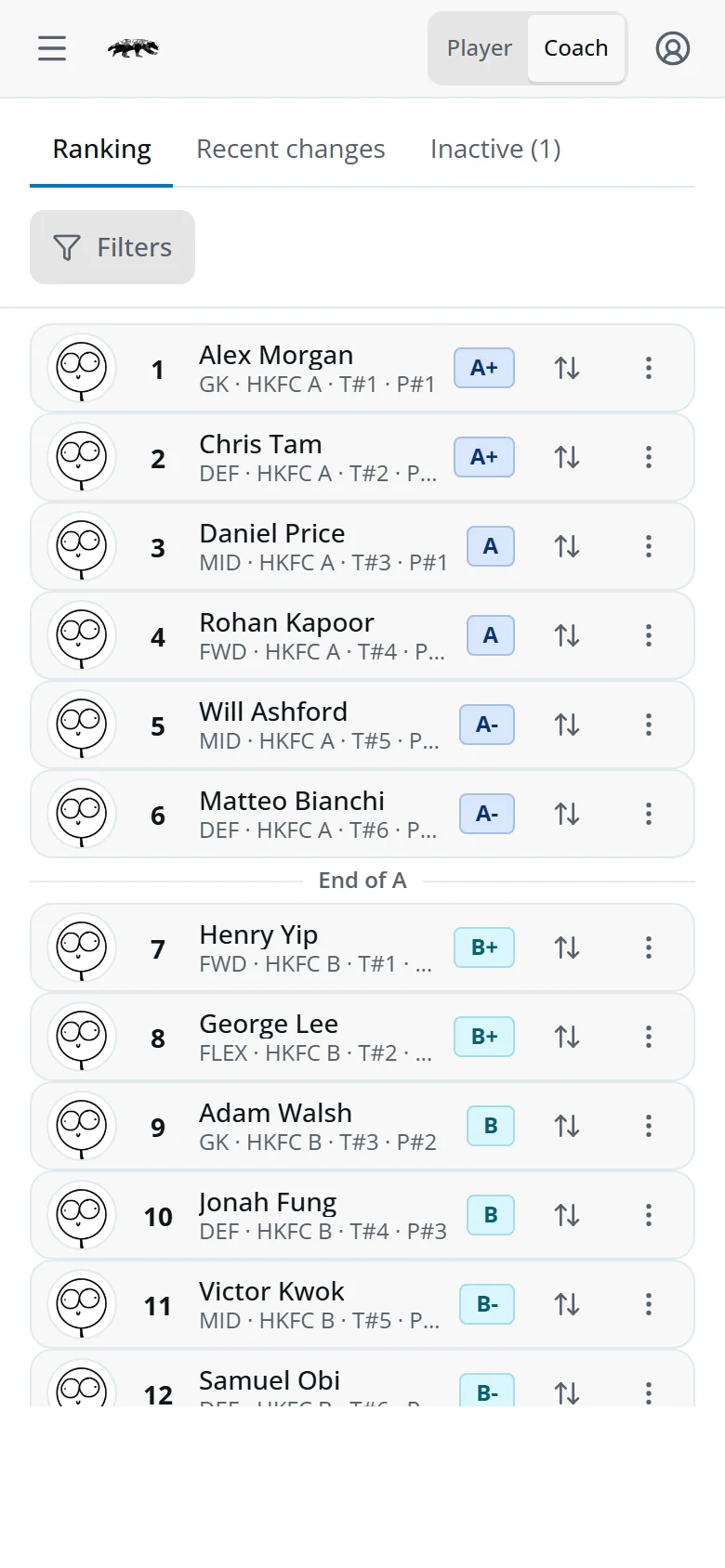
Open the menu and tap Ranking: every active player in the section, best first. Ability groups (A, B, C…) follow from the order.
- On a phone, tap ⇅ (or press and hold a row) and choose the new rank. On a laptop, drag a player or use the arrows.
- Add a note if you like.
- Tap Save.
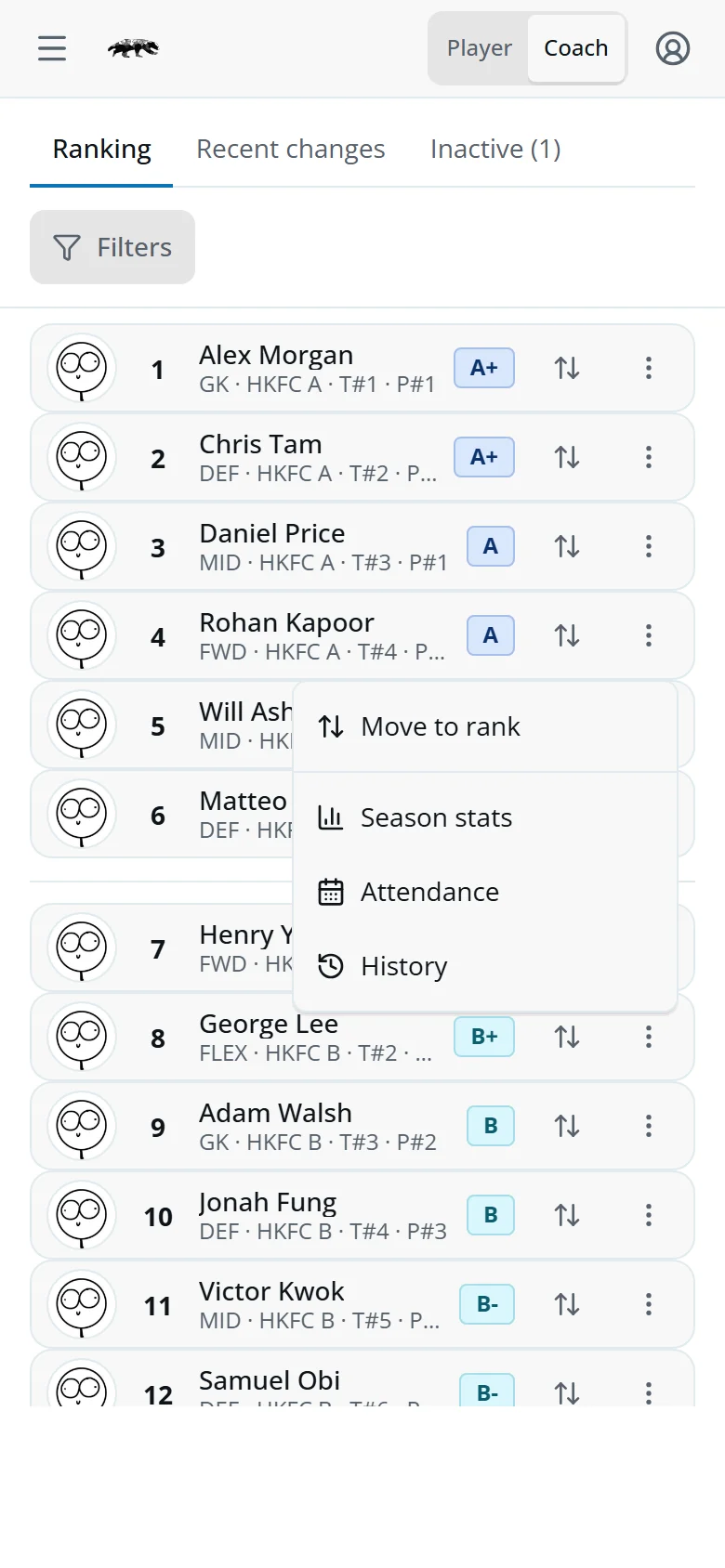
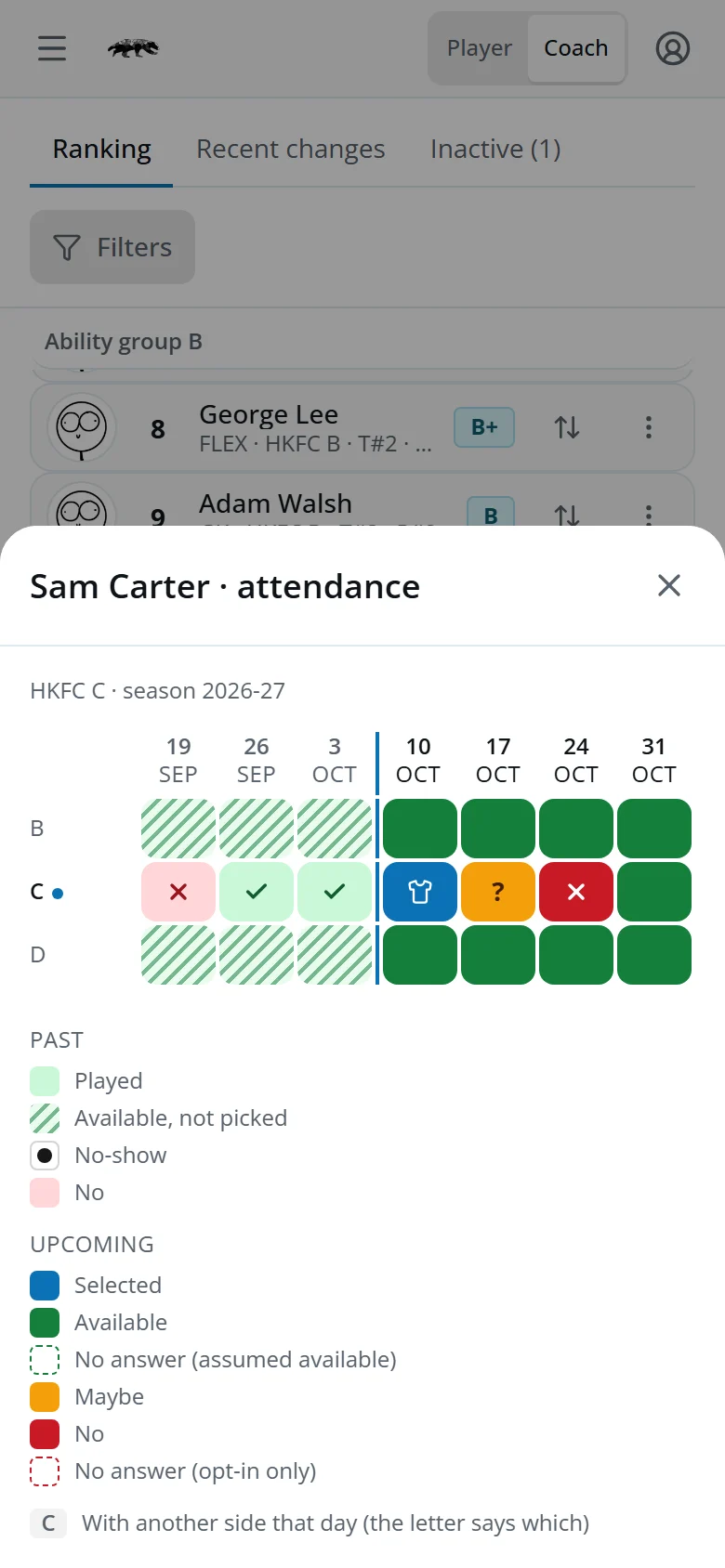
The ⋮ on each row offers Move to rank, Season stats, Attendance (a week-by-week grid of the player's season) and History. Recent changes lists the latest moves and their notes.
Team availability
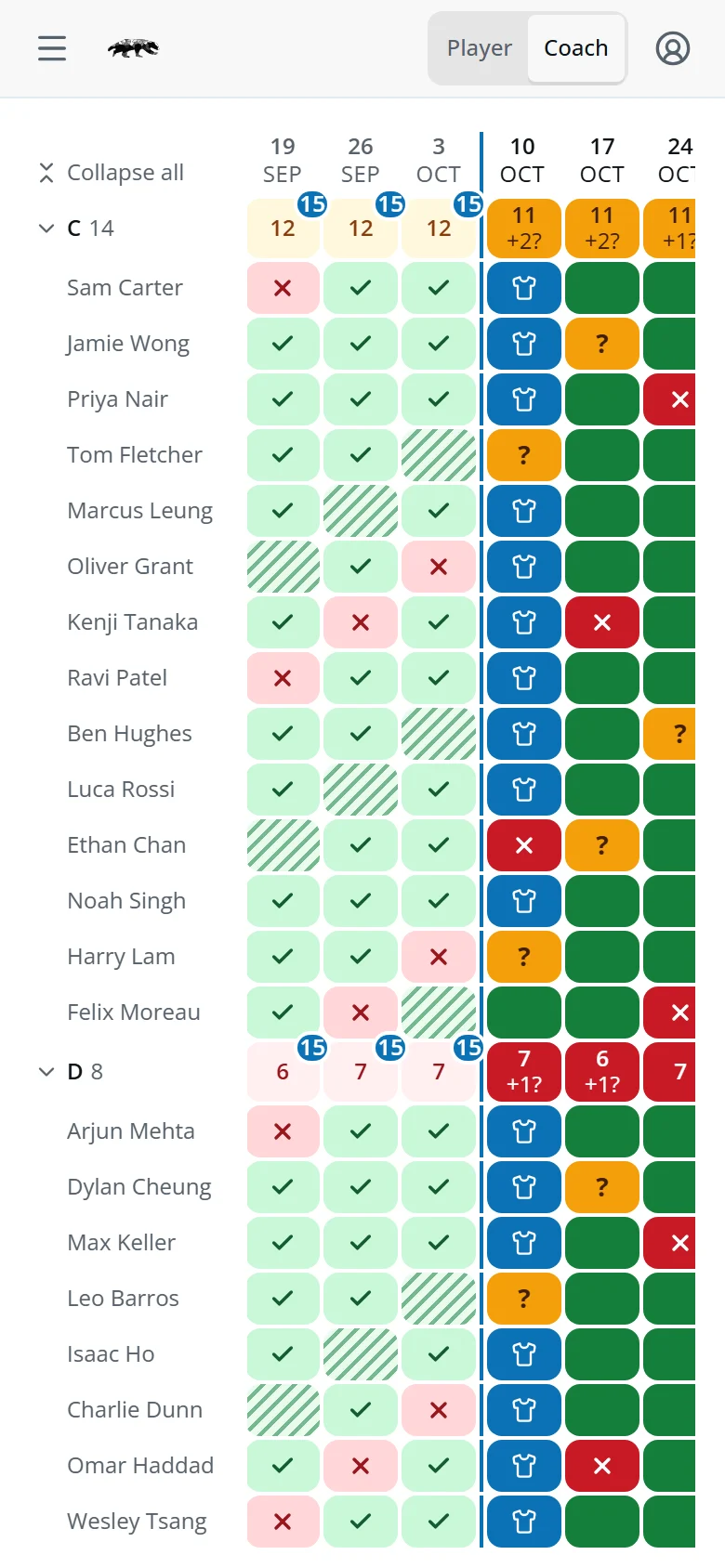
Open the menu and tap Team availability: how many of each squad can play, week by week.
- 16Enough for the squad.
- 12 +2?11 or more, and 2 maybes.
- 9Fewer than 11.
- 15On a played week, the blue badge: how many were on the match card.
Tap a team, or Expand all, to see each player. Tap a name for their attendance.
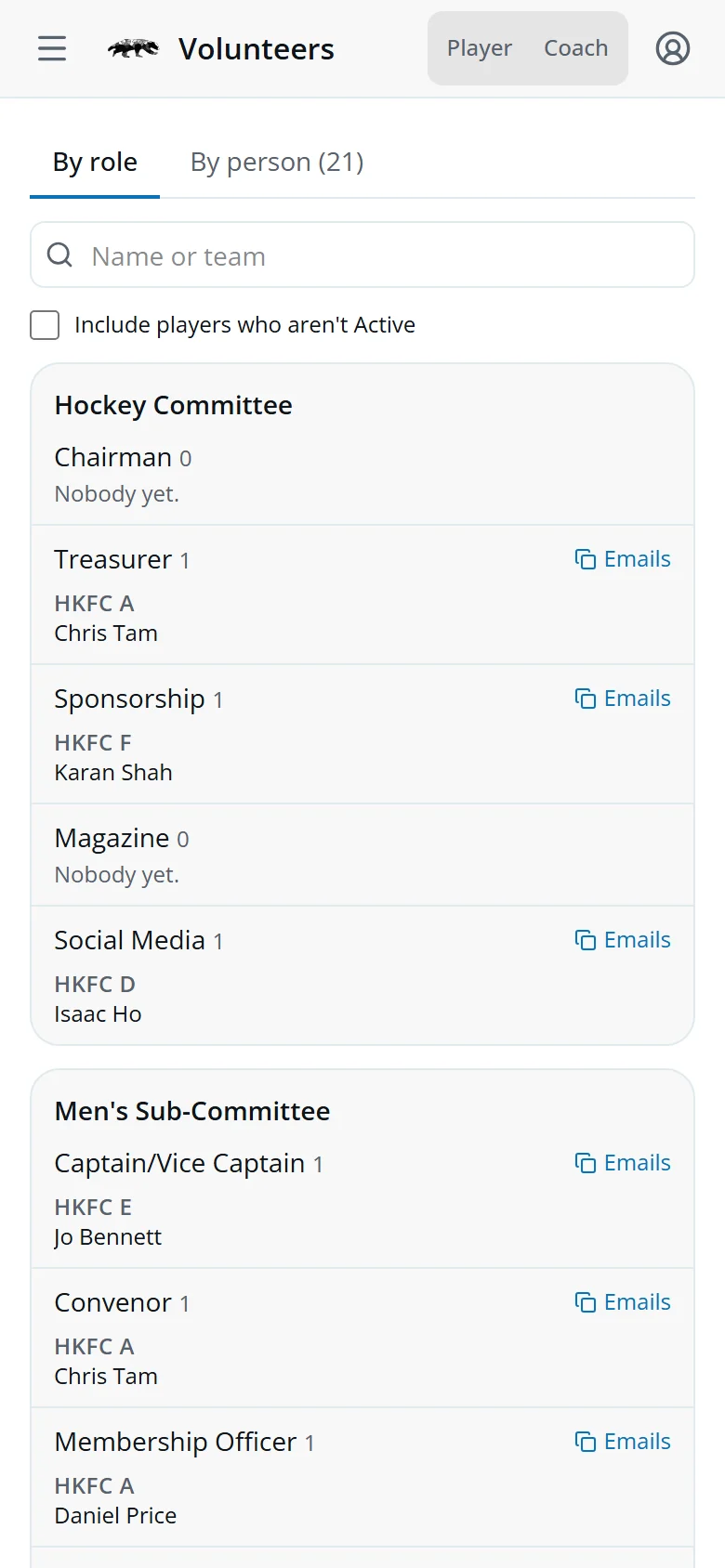
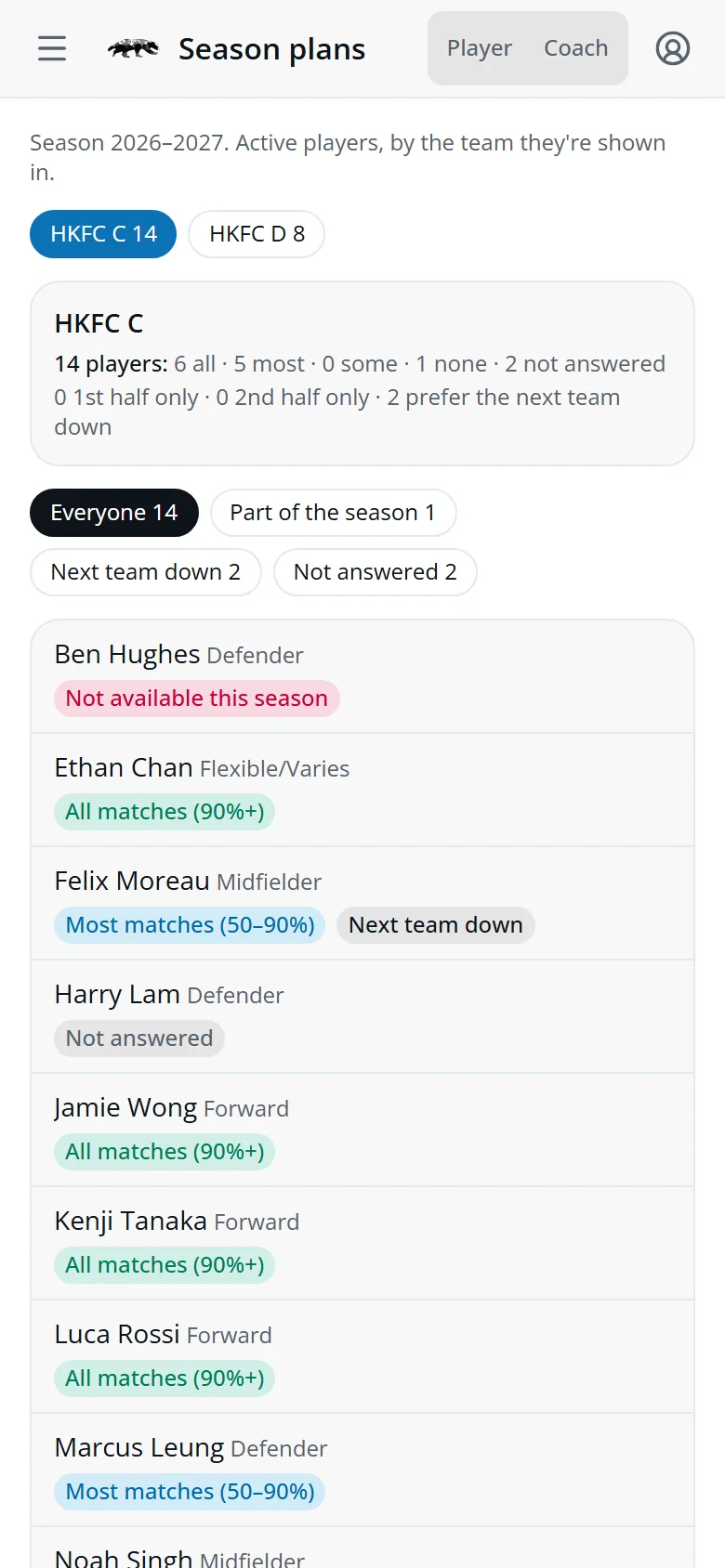
Season plans and volunteers
Both are in the menu.
- Season plansHow much of the season each of your players can play, whether they'd rather play in the next team down, and who'd like to captain.
- VolunteersWho's offered to help, including qualified coaches and umpires.
Use the chips on Season plans, such as Not answered, to see who still needs a nudge.
Quick answers
A player hasn't answered. Are they available?
Yes, unless they've set a preference or you've made them Opt-in only.
Why can't I see some players?
Players who can't play are hidden. Open Filters and turn on “Blocked” to see them.
I picked someone already in another squad that day.
If that squad is for a lower team, saving takes them out of it and the app tells you who moved, so that coach can find a replacement.
Do players know when they're selected?
Their app and synced calendar show it straight away. Use Notify to message them too.