An event in three steps
-
Save a draft
Tap New event, fill in the details and choose who's invited.
-
Add the poster, publish
Upload the poster and tap Publish. Everyone invited sees it straight away.
-
Share and chase
Tap Copy link for WhatsApp, then copy the names of anyone who hasn't answered.
Open the Events screen
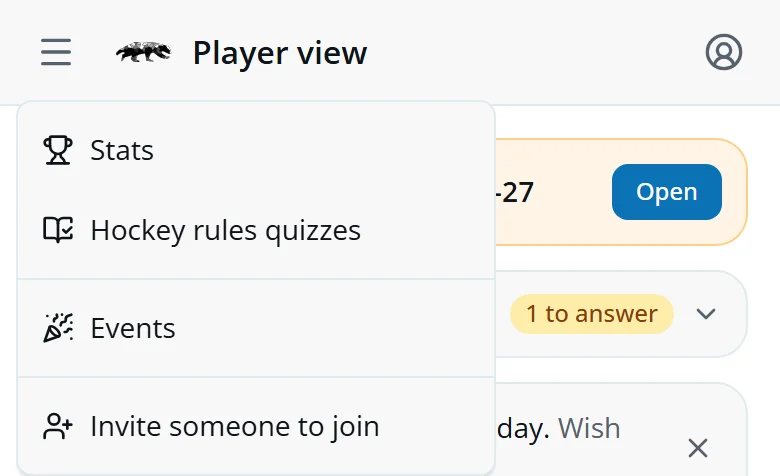
Open the menu at the top left and tap Events.
- Team social secretaryAdds and keeps their own team's events.
- Social SecretaryAny event, club-wide or for a team. The Section Captains can do the same.
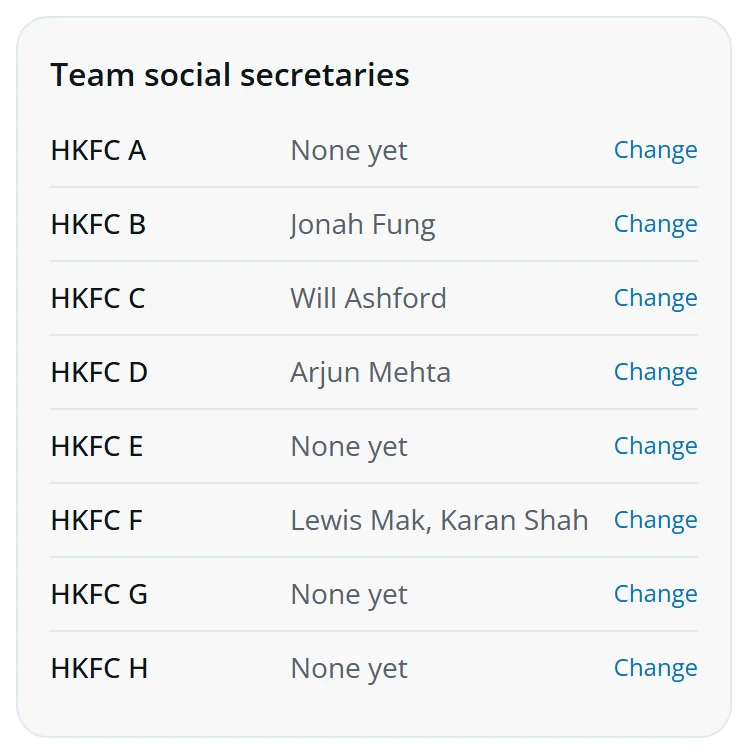
The Social Secretary and the Section Captains name each team's social secretaries at the bottom of the Events screen: tap Change next to the team and search for them.
Create an event
- Tap New event.
- Choose the type: social function, team social, tournament, tour or trial. Friendlies stay in the fixtures.
- Pick the team, or Club-wide. A team social secretary can only pick their own team.
- For the Start of Season, Christmas Party, End of Season or AGM, choose it under Counts for commitments as. Going to it then counts on members' commitment reviews.
- Give the title, start, end, deadline and place, then tap Save draft.
Pick the start first: the end then fills in an hour later. Answer by is the deadline. After it, members can't change their answer, but you still can.
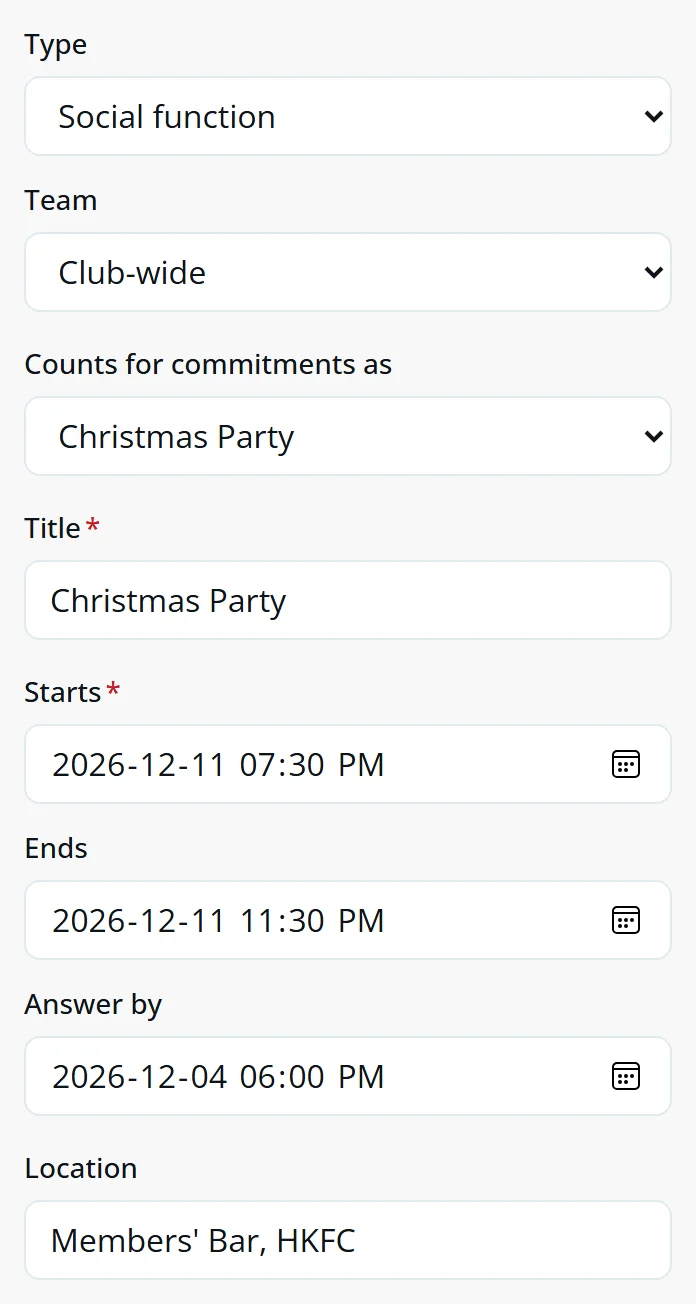
Payment, guests and questions
- FreeNothing to pay.
- Pay on the nightThe price is shown. You collect it at the door.
- PayMe or FPS in advanceGive your PayMe link or FPS ID. Everyone invited sees it. Each payer uploads a screenshot of their payment.
- Charged to membership accountsYou send the treasurer a list after answers close.
- Self-fundedEveryone pays their own way, for a tour say. Give an estimated cost if you like. Eddy sends no bills.
Tick Members can bring guests and say how many. Leave the adult guest price blank and guests pay the member price. Leave the child price blank and children pay the adult guest price.
Under Ask people for, tick Dietary requirements or add up to four questions of your own, like a T-shirt size. Tick Required and nobody can say Going or Maybe without answering. A required dietary question also needs each guest's.
Need volunteers? Fill in Help needed and members can tick I can help.
Paste the event's WhatsApp group link under Link and members get a Join the WhatsApp group button.
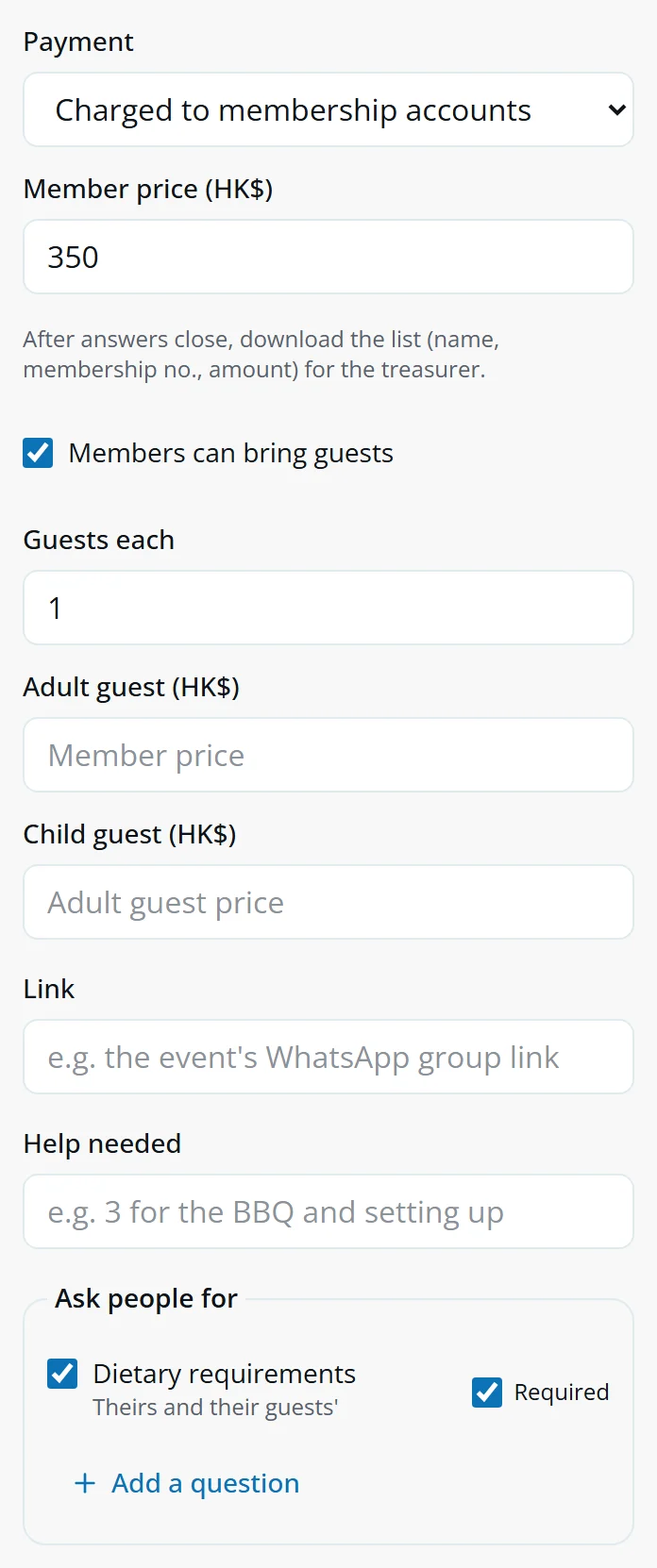
Who's invited
A new event goes to playing members. Tick to change it, and the count at the top updates as you go.
- Within a groupAny ticked option counts: team C or team D.
- Across groupsPeople must match all of them: playing members and interested in the Bangkok 11s.
- Nothing tickedThat group doesn't narrow the list.
The list is worked out each time, so someone who joins a team after you publish is invited too. A team's event is always just for that team.
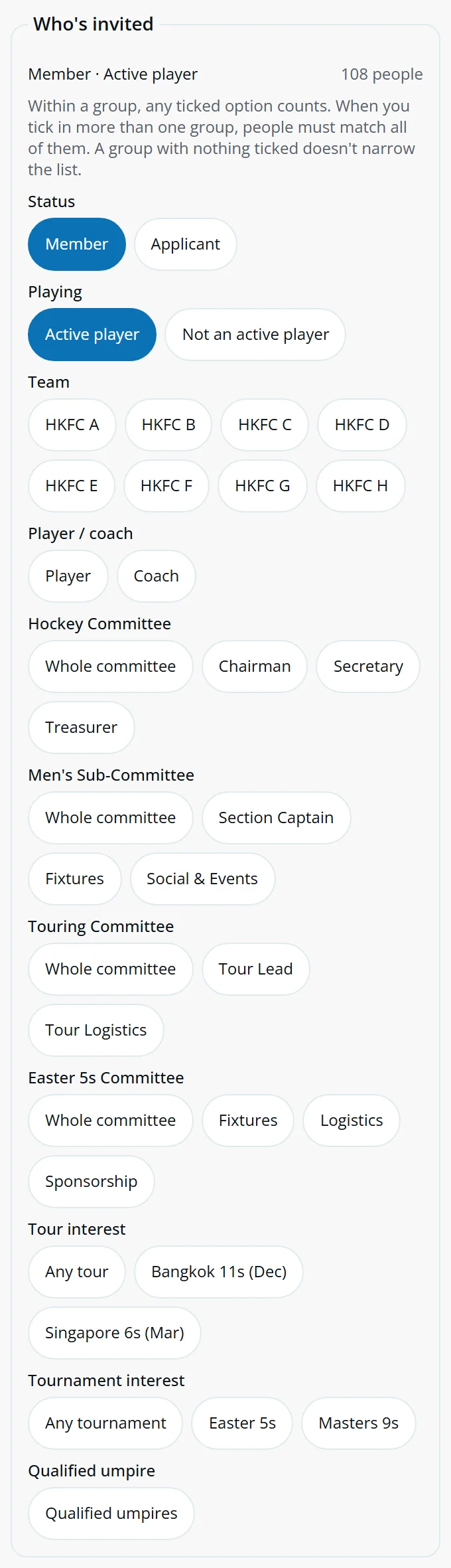
Publish and share
- Open the draft and upload the poster.
- Tap Publish.
- Tap Copy link for WhatsApp and post it in your group.
Everyone invited gets an "are you coming?" line at the top of their player screen until they answer. Eddy doesn't send emails, so WhatsApp is how the word gets out.
Going and Maybe answers go into members' subscribed calendars. If you cancel, the event is marked cancelled for everyone and comes out of their calendars. Reopen brings it back.
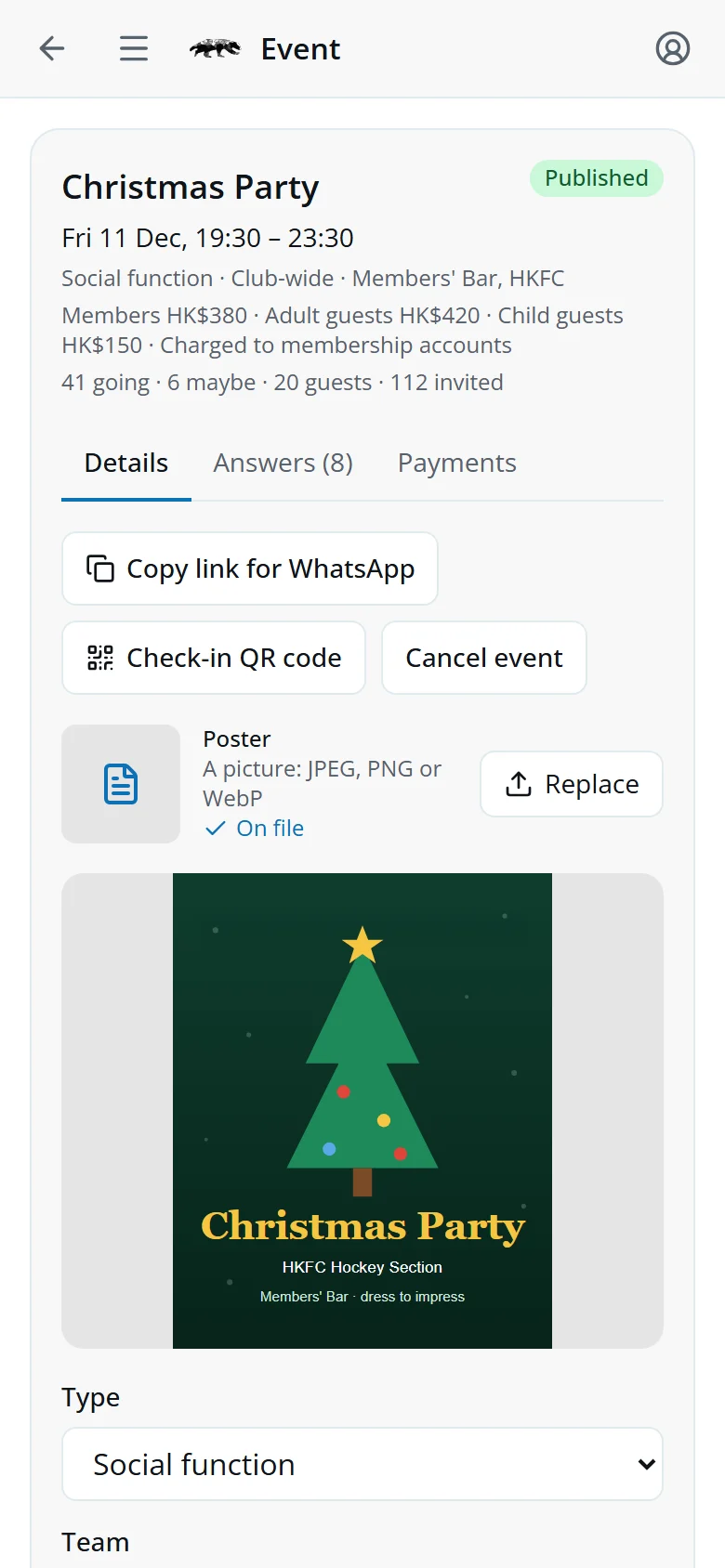
The answers
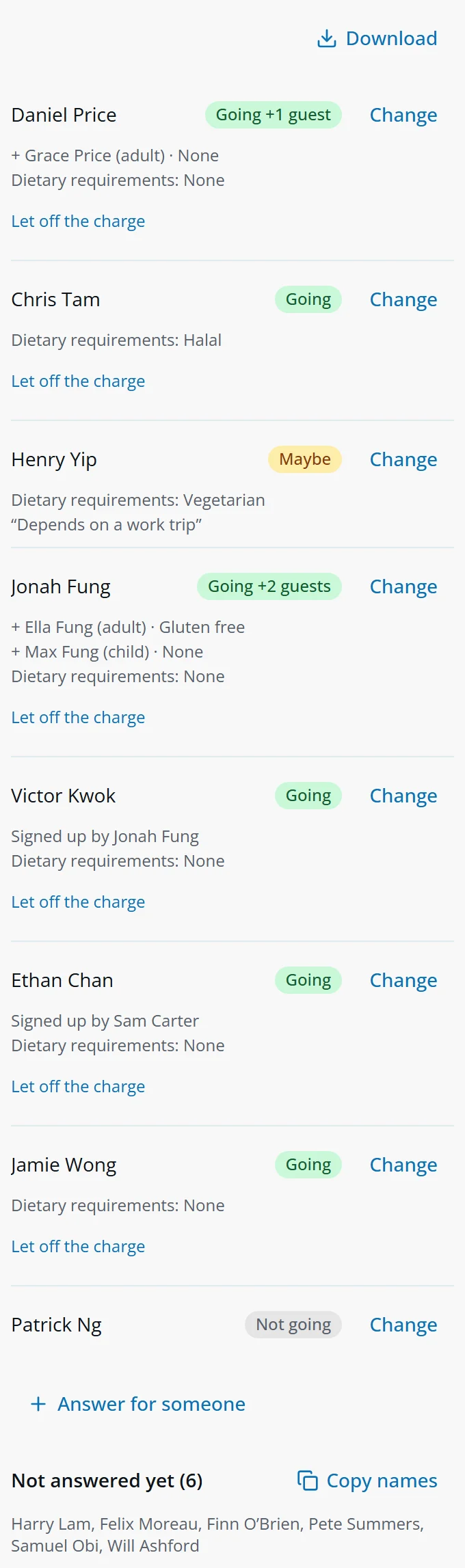
Open the event's Answers tab. Every answer is listed with guests, dietary requirements, your questions' answers, who can help and any note. Signed up by shows who added someone, and they pay for them.
- DownloadA spreadsheet for the caterer: everyone coming, each guest on their own line, with their answers.
- Answer for someoneFor a member who phones it in. They pay for themselves.
- Let off the chargeInjury or a family emergency: no charge for them or their guests.
- Copy namesEveryone invited who hasn't answered, ready to paste into WhatsApp.
PayMe and FPS
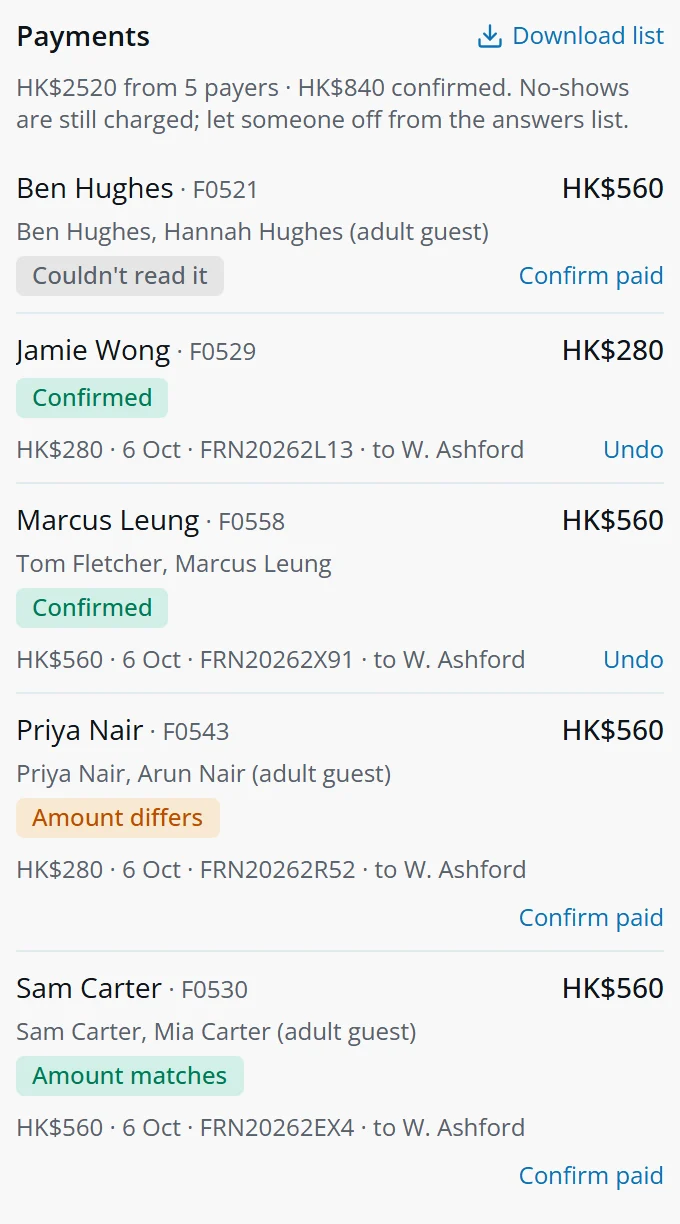
The Payments tab lists each payer: their own place, anyone they signed up and their guests. Everyone Going is charged, no-shows included.
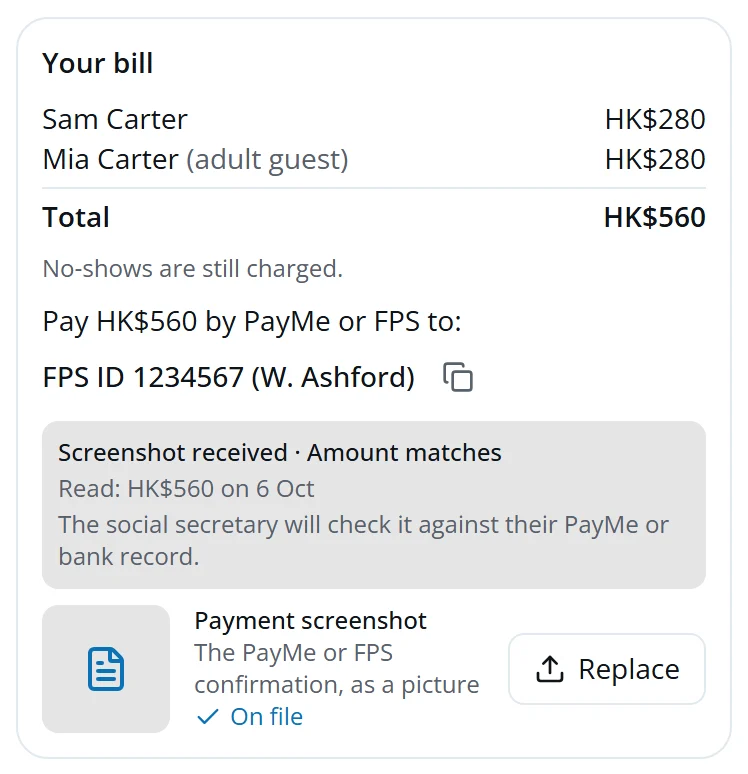
When a payer uploads their screenshot, Eddy reads the amount, date, reference and who it was paid to, and compares it with their bill:
- Amount matchesThe screenshot shows what they owe.
- Amount differsCheck with them: they may have paid for only part of their bill.
- Reference already usedThe same payment has been sent in before, maybe for another event.
- Couldn't read itOpen the screenshot and check it yourself.
Check each one against your PayMe or bank record, then tap Confirm paid. A screenshot is easy to fake, so Eddy never confirms a payment itself.
The treasurer's list
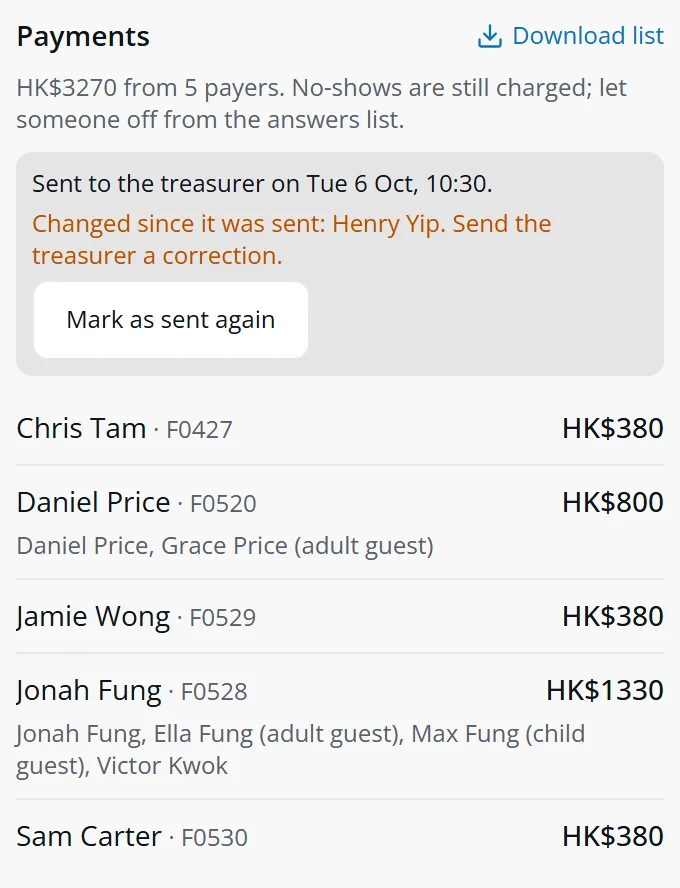
- Once answers close, tap Download list: one line per payer with their name, membership number, amount and what it's for.
- Send it to the treasurer.
- Tap Mark as sent to the treasurer.
If an answer changes after that, the names are listed under Changed since it was sent so you can send a correction.
Who came: the register
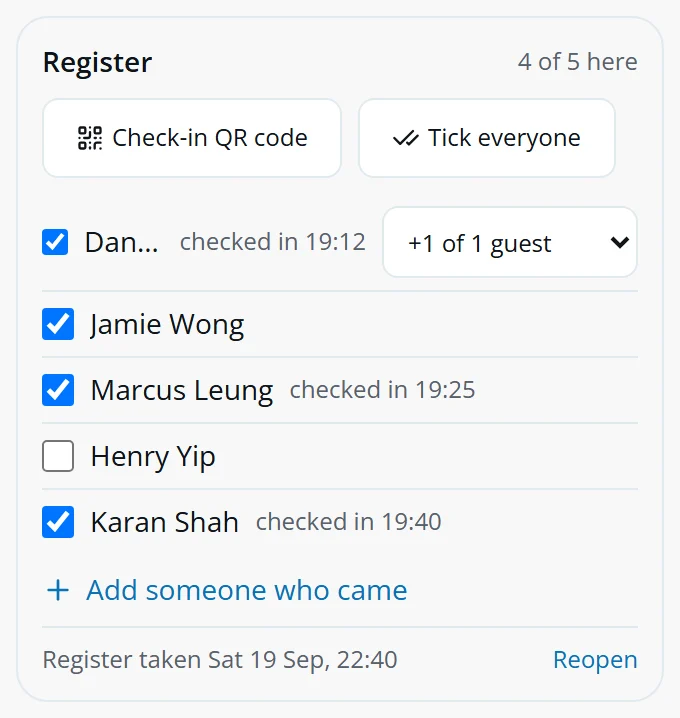
From an hour before the start, the event has a Register tab: everyone who said Going, with a tick each. Tick people as they arrive, and choose how many of their guests came.
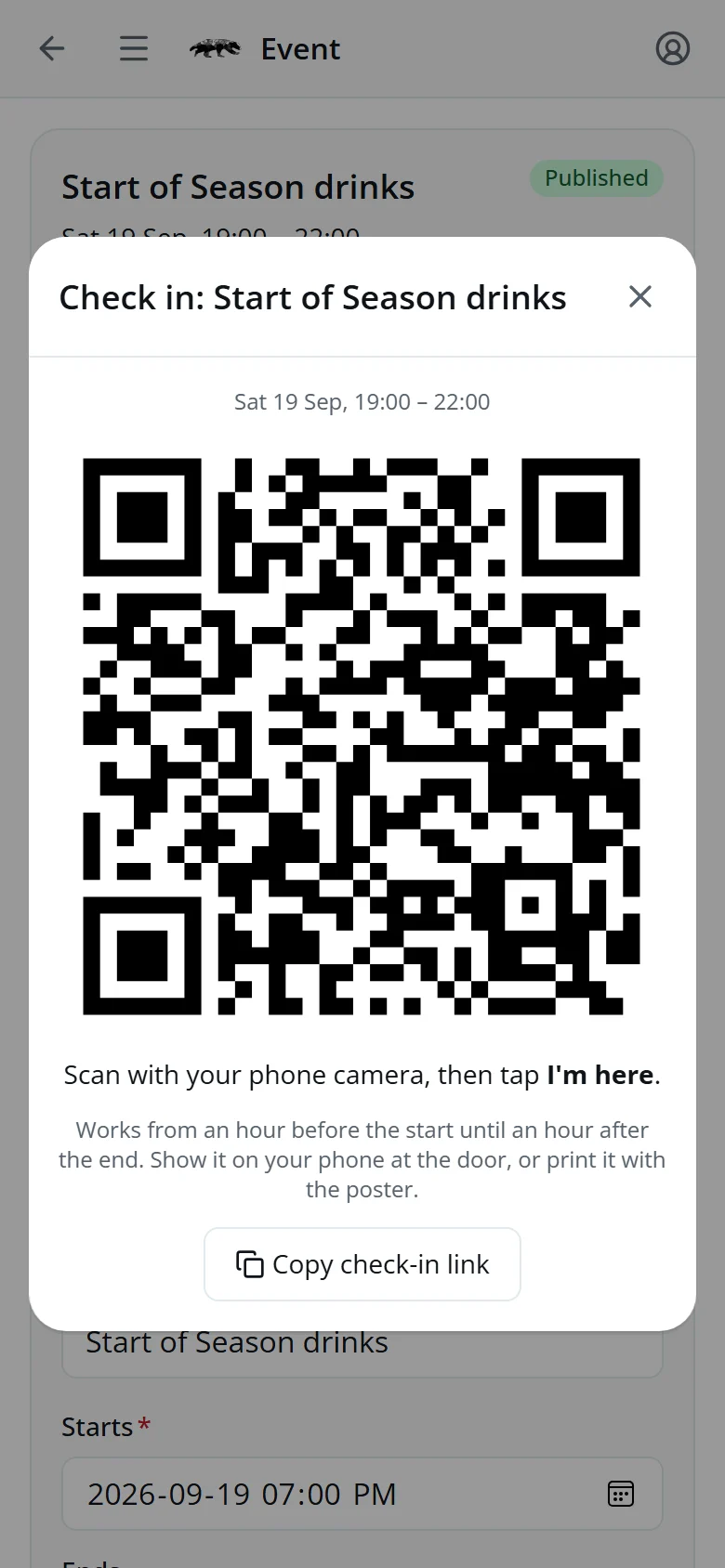
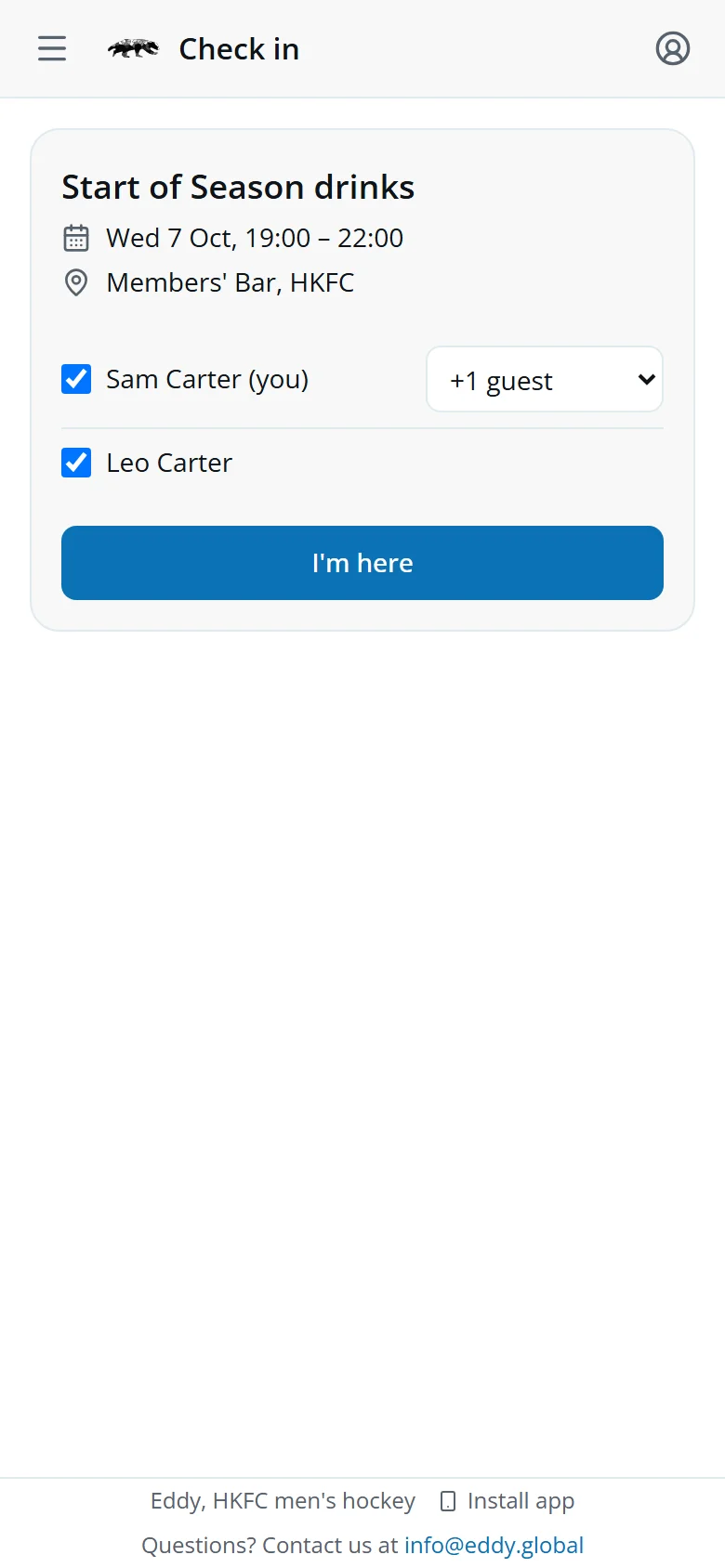
- Check-in QR codeShow it at the door or print it with the poster. Members scan it and tap I'm here, and they're ticked for you.
- Tick everyoneFor a big turnout: tick them all, then untick the few who didn't come.
- Add someone who cameFor someone who turned up without answering. They're put down as Going.
- Register doneTap it when you've finished. Until then you'll see "Take the register" on your player screen.
Only ticked names count as having come. At the four commitment social functions that fills in their commitment review. Everyone Going is still charged, whether they came or not.
What players see
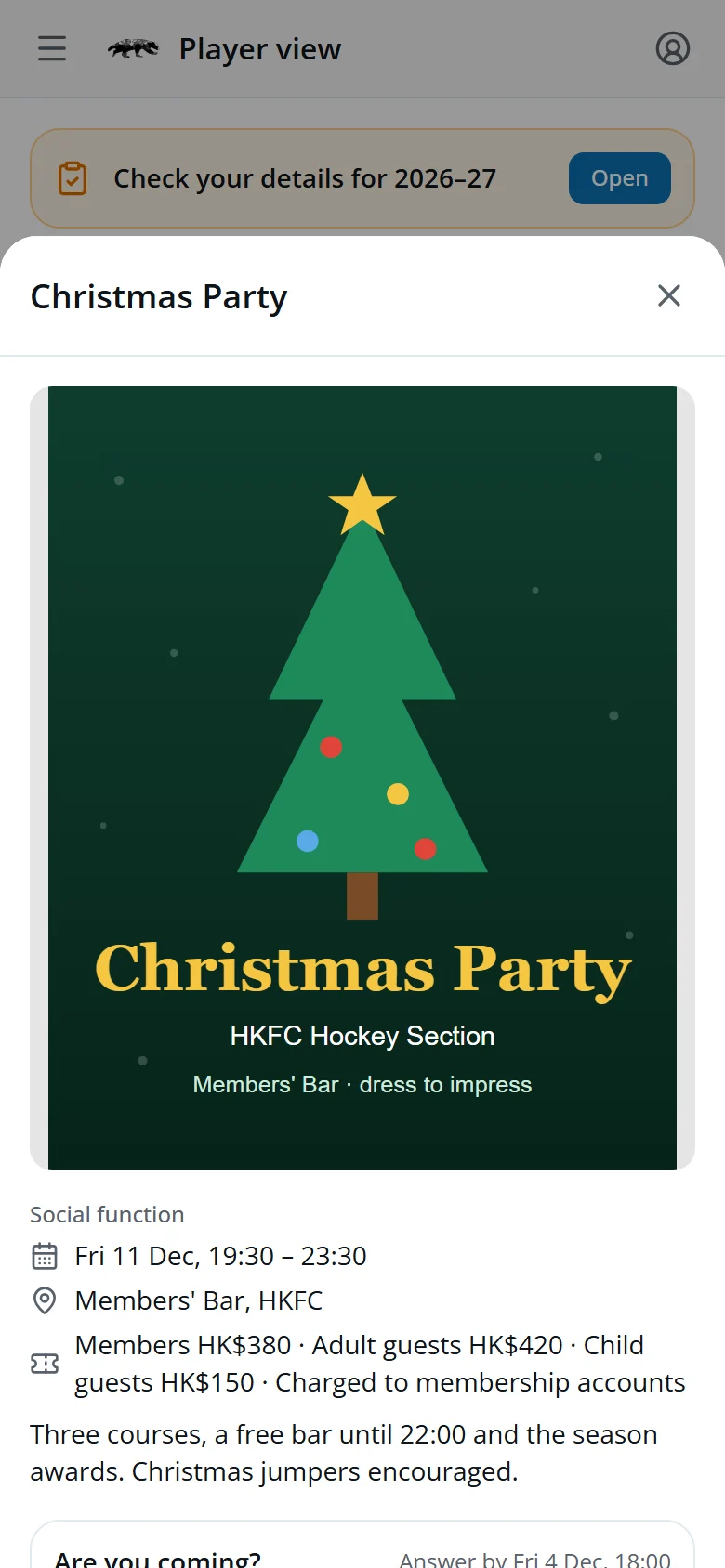
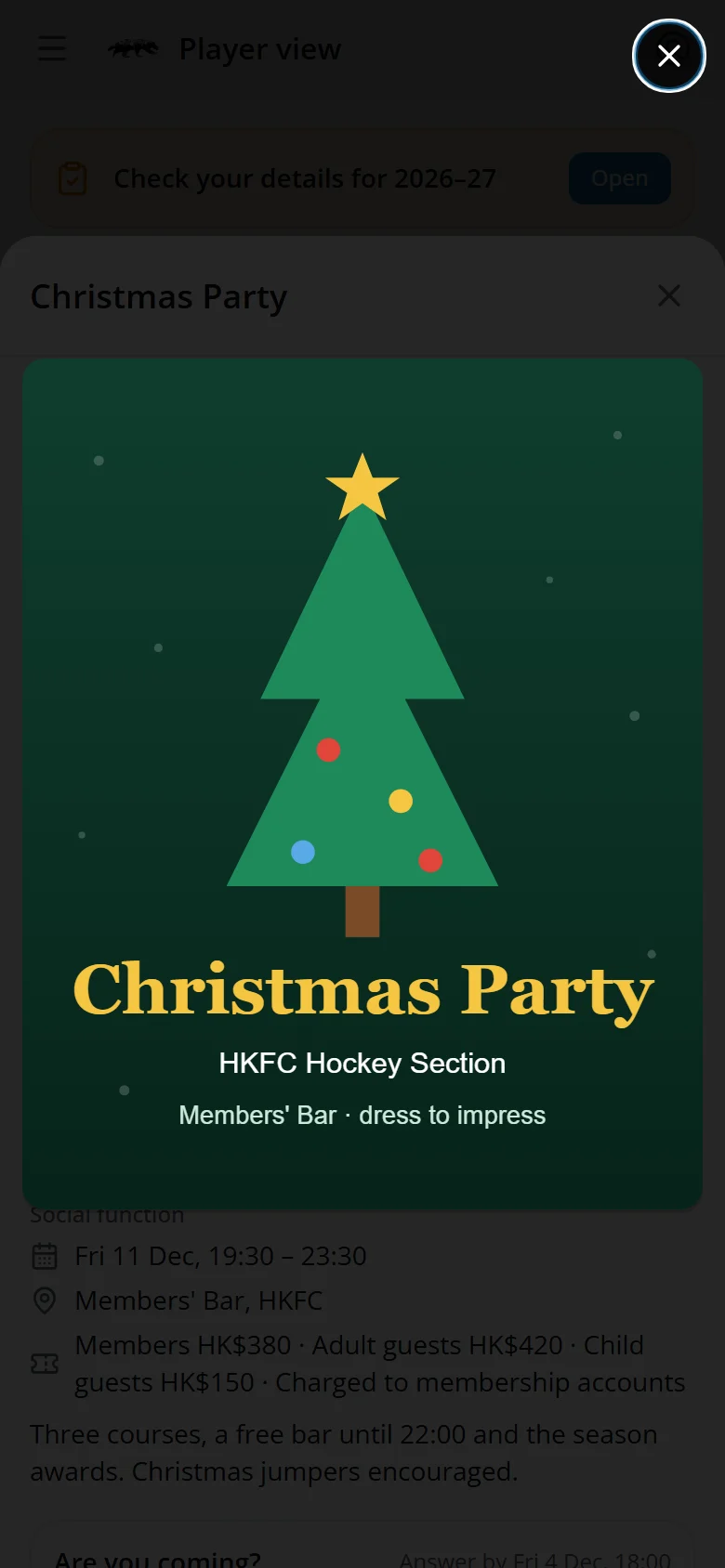
Members see your events under Events on their player screen (tap it to open the list), and the "are you coming?" line until they answer. Tapping the poster shows it full screen.
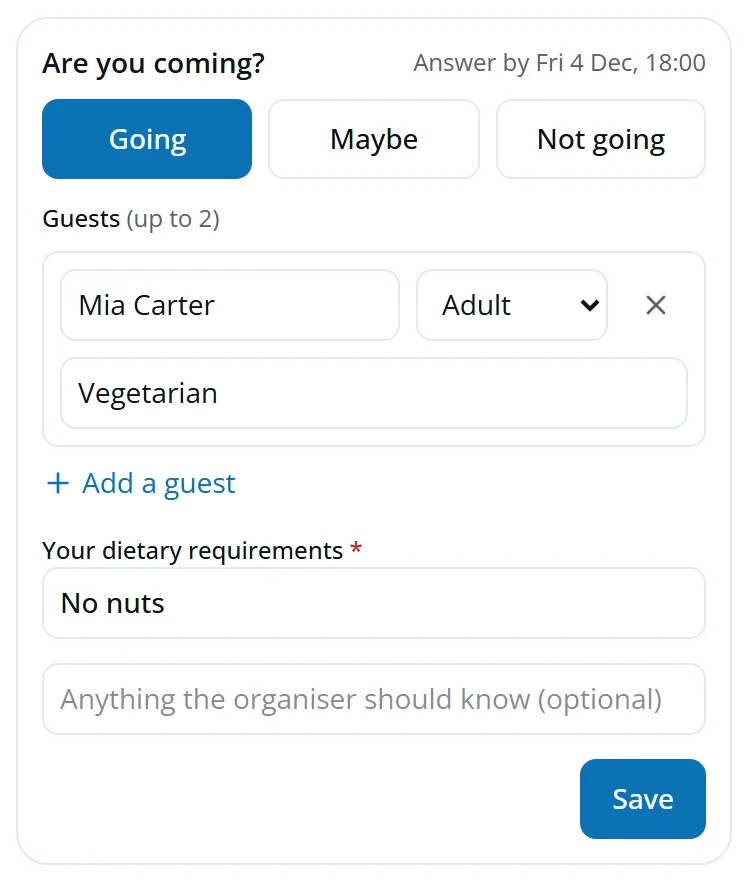
- They tap Going, Maybe or Not going, add guests and answer your questions.
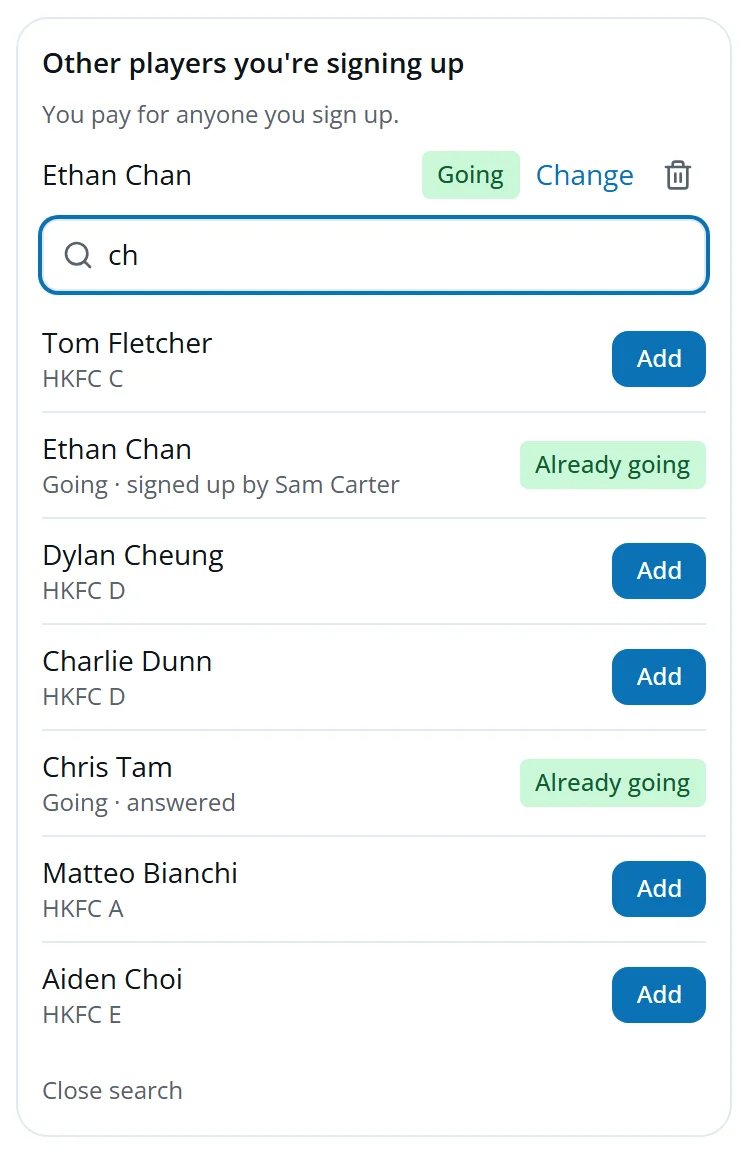
- Sign up someone else lets them add another player, a son for example. Anyone who has already answered is shown, so nobody is added twice, and whoever signs someone up pays for them.
- On a paid event, Your bill shows what they owe and how to pay. On a PayMe or FPS event they upload their screenshot there.
They can change their answer until the deadline. At the event, they scan your check-in QR code and tap I'm here to tick themselves on the register.
Quick answers
I published an event but it isn't on my player screen.
You're probably not in the invite list. Open the event: it says who's invited and tells you if you're not on it. Edit who's invited, or use Answer for someone.
Someone wants to change their answer after the deadline.
Open the event, find them in the answers and tap Change.
A father wants to sign up his son.
He opens the event, taps Sign up someone else and searches for his son. He pays for both.
Can a non-member come?
Yes, as a member's guest, if the event allows guests. They go on that member's bill.
Someone was injured and couldn't come.
Tap Let off the charge next to them. If you've already sent the treasurer's list, send a correction.
Someone can't scan the QR code.
Tick them on the register yourself. The code only works from an hour before the start until an hour after the end.
Does Eddy email people about events?
No. Share the link on WhatsApp. Members see the event and the "are you coming?" line when they open the app.