Your week in three steps
-
Register who's new
Work down To register, then tap Registered with HKHA.
-
Keep suspensions right
Add red cards and committee rulings. Card points count themselves.
-
Clear the checks
Link match cards that didn't find their player.
Open your screens
Tap the menu at the top left. HKHA registration, Suspensions, People and Data checks are there.
Help, in your profile menu at the top right, opens this guide.
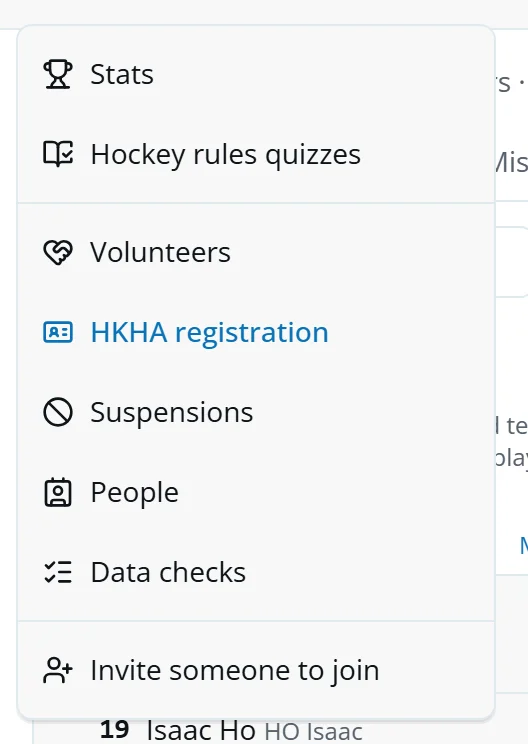
Who needs registering
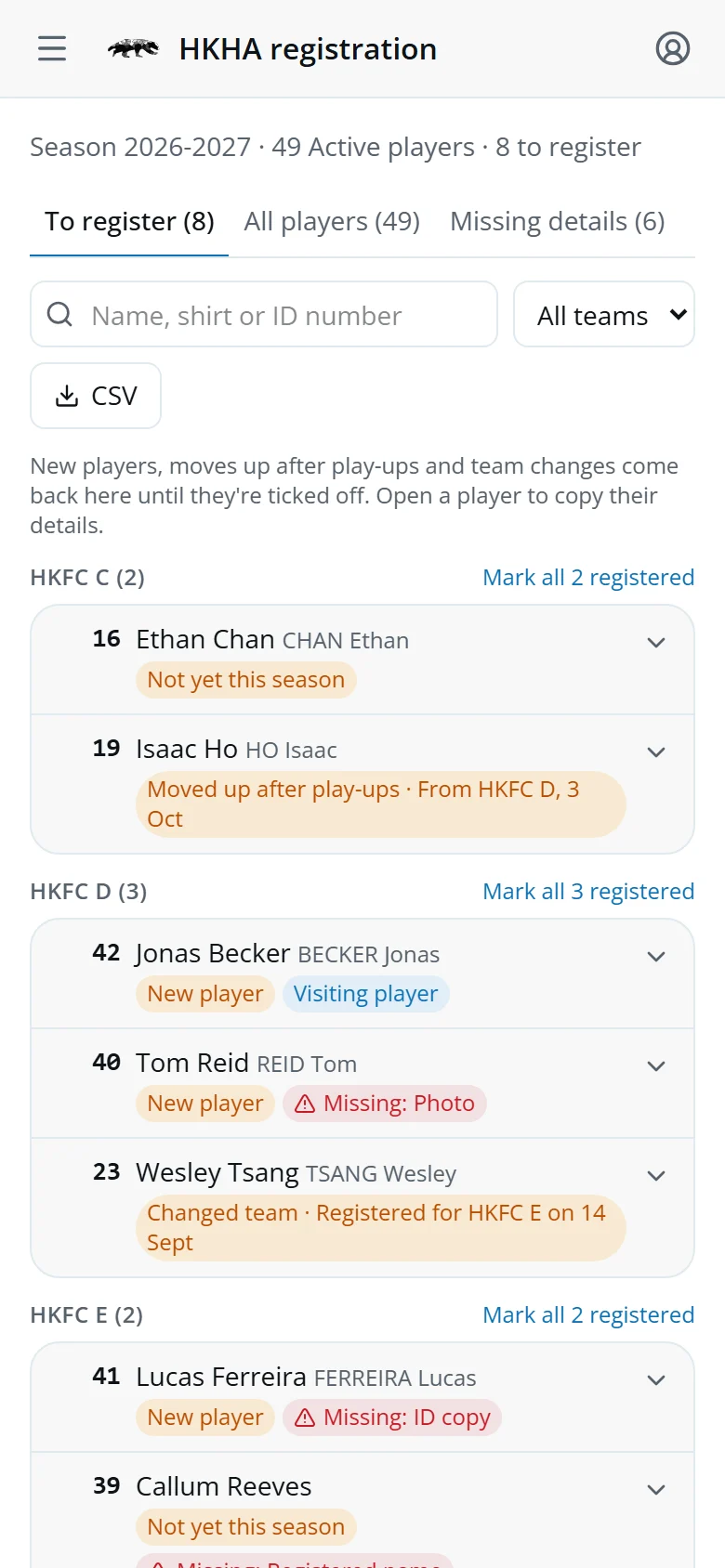
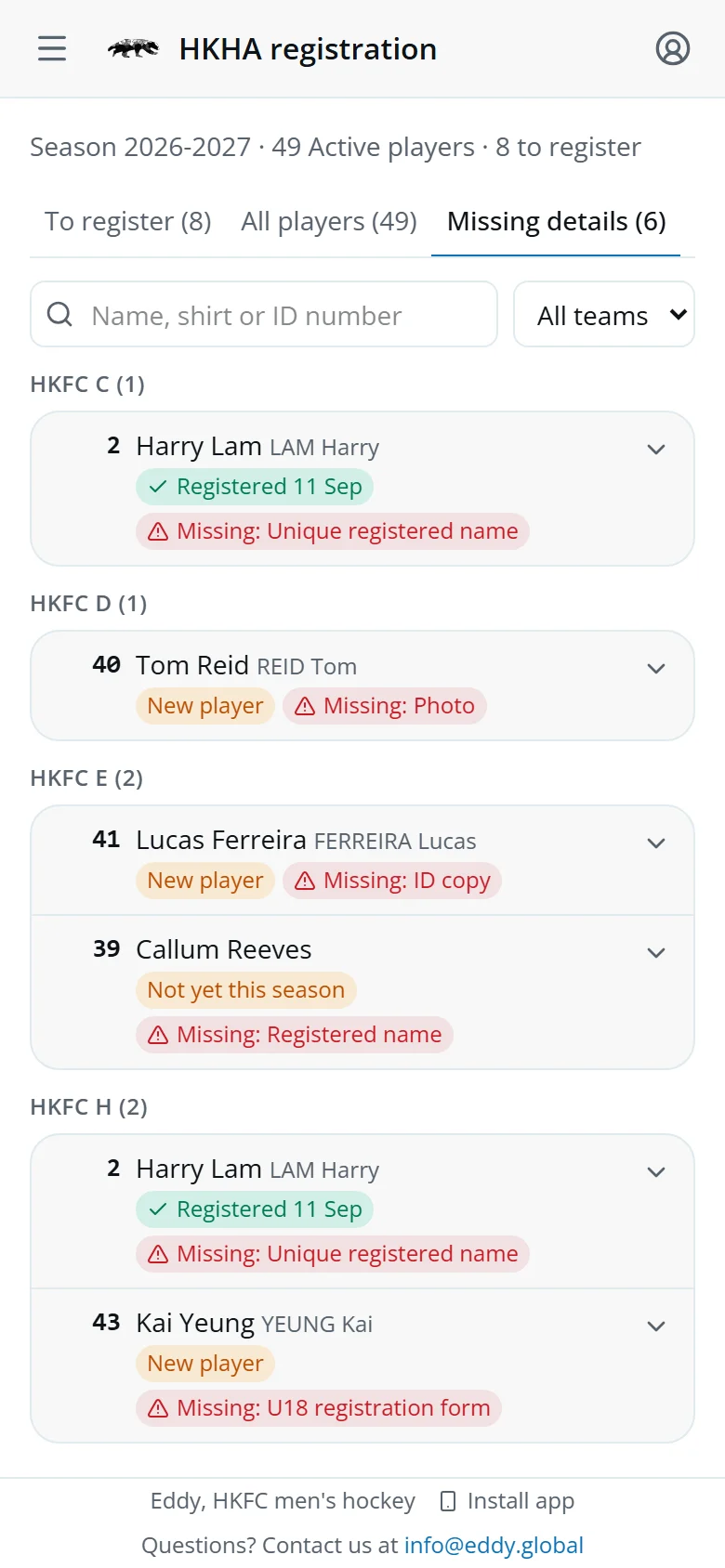
Every Active player, by registered team, in three tabs:
- To registerNot ticked off for this season and their current team.
- All playersEveryone, with the date they were registered.
- Missing detailsWhat's still needed before HKHA will take them.
The chip says why someone is on the list: New player, Moved up after play-ups, Changed team or Not yet this season.
Search by name, shirt or ID number, or pick a team.
Register a player
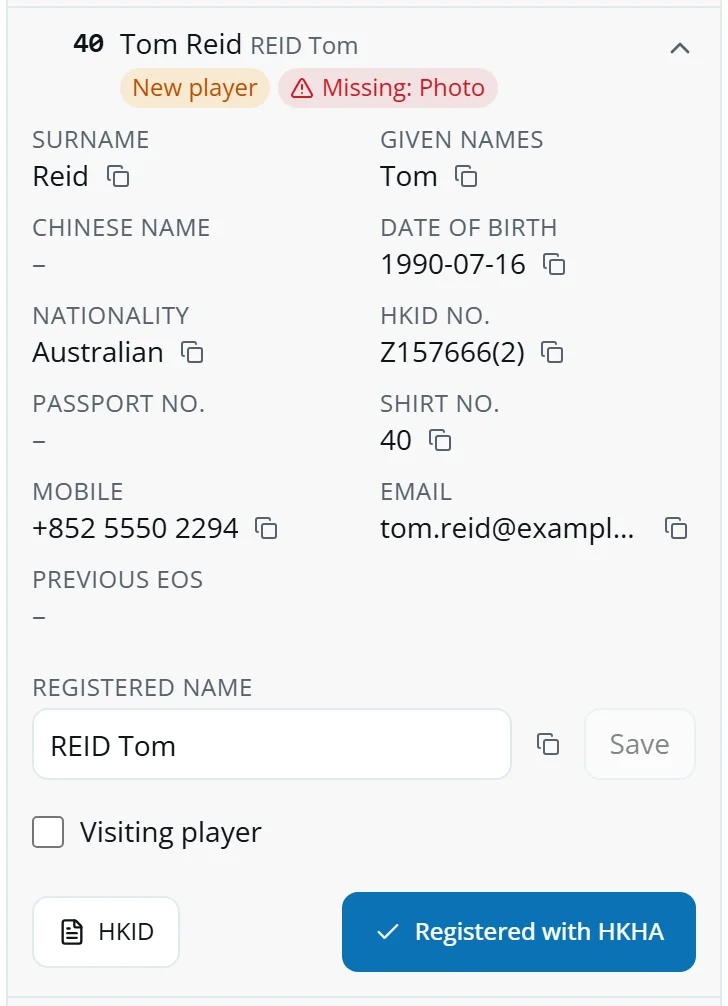
- Tap a player to open their details.
- Tap the copy icon next to each detail and paste it into HKHA's form.
- Open Photo, HKID, Passport or U18 registration form for the copies.
- Tap Registered with HKHA.
Registered a whole team at once? Tap Mark all 3 registered by the team's name.
Ticked someone by mistake? Open them in All players and tap Not registered after all.
The registered name
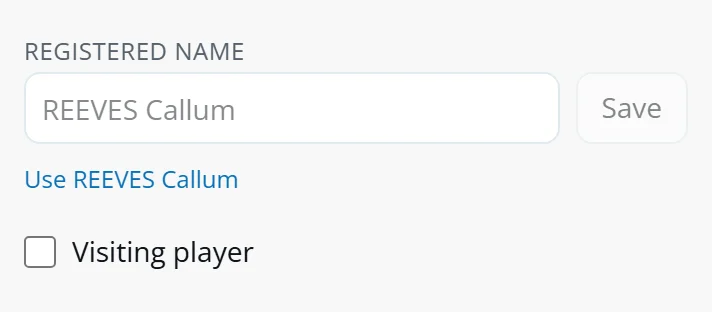
Match cards find the player by their registered name, so it must be exactly what HKHA has.
- Type it, or tap Use REEVES Callum to start from the suggestion.
- Check it against HKHA's, given names and all.
- Tap Save. Their unlinked match cards link straight away.
Tick Visiting player for someone registering without an HKID. A player with only a passport shows No HKID: visiting? until you decide.
Missing details and the CSV
Missing details lists everyone with a gap: registered name, date of birth, nationality, ID number or copy, photo, or an under-18's U18 form.
Players fill in most of these in My details.
Tap CSV for HKHA's spreadsheet. It has what the tab and team filter show.
Suspensions
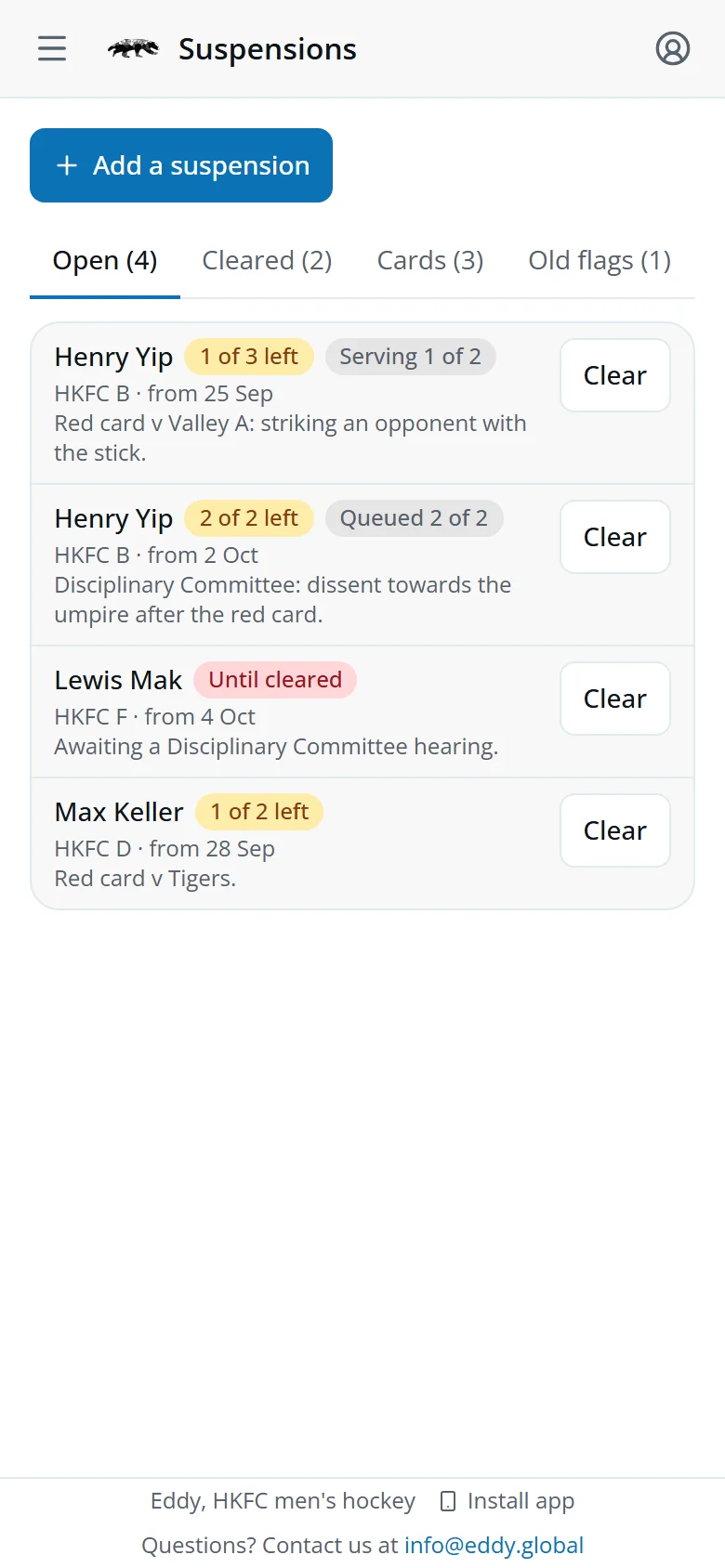
- OpenThe ones you added, in the order they're served.
- ClearedServed or cleared in the last 90 days.
- CardsWorked out from yellow-card points on the match cards.
- Old flagsSet by hand before this screen.
1 of 3 left counts down as their registered team plays. A player with two shows Serving 1 of 2 and Queued 2 of 2.
Coaches see the player as Suspended when they pick the squad.
Add a suspension
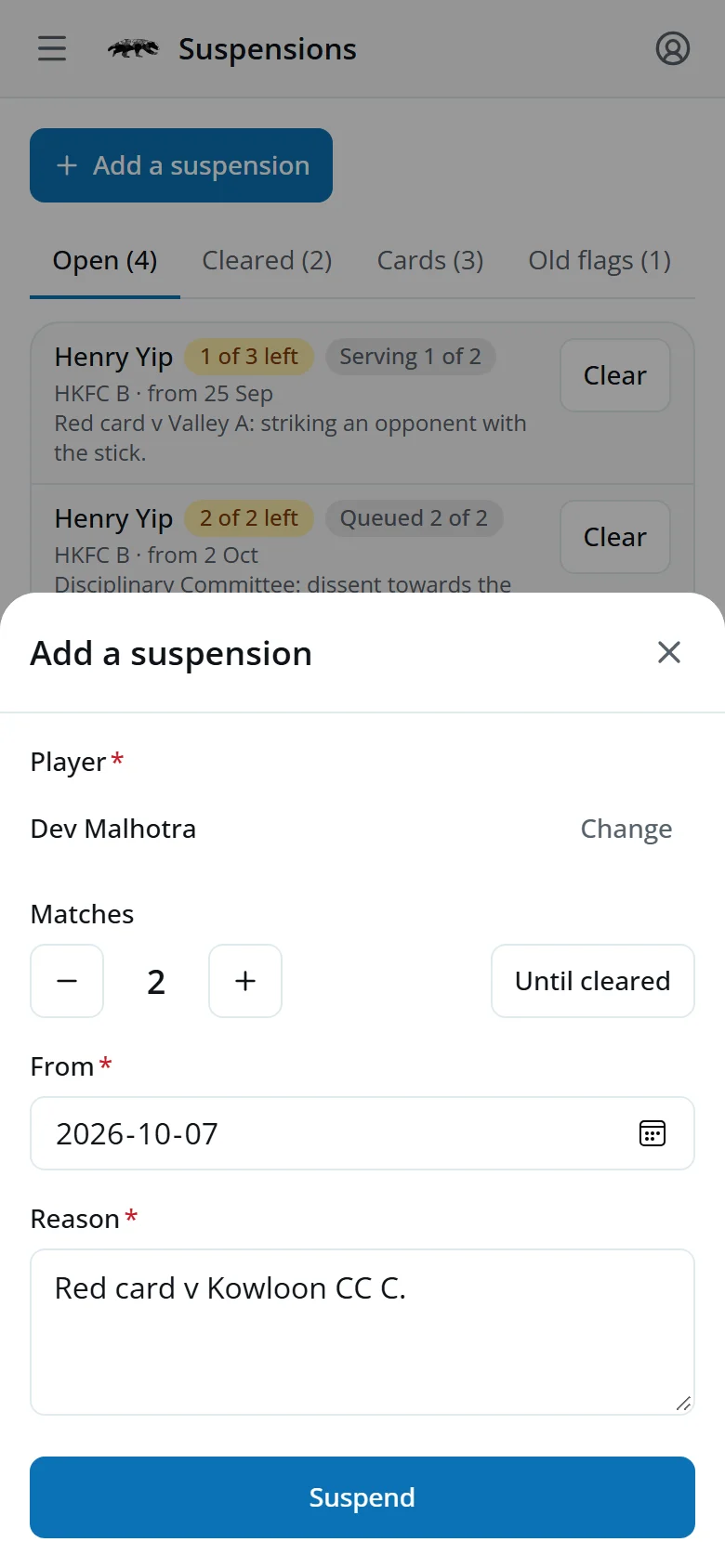
- Tap Add a suspension, or Suspend on their page.
- Pick the player.
- Set the matches, or tap Until cleared.
- Check the From date and give a reason.
- Tap Suspend.
Tap a suspension to change it. Tap Clear to end it early.
Suspensions from cards
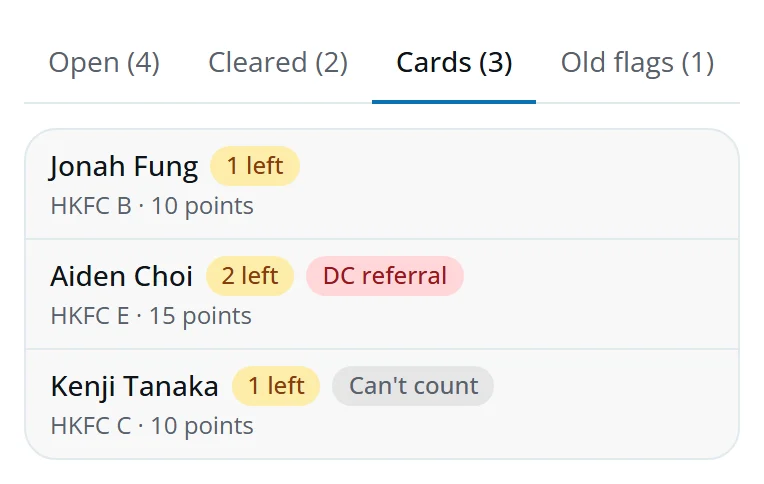
There's nothing to add for these: they come from the cards.
- 1 leftMatches still to serve.
- DC referral15 points: it goes to the Disciplinary Committee too.
- Can't countThe match that set it off can't be found. Check it by hand.
Data checks
Only tabs with something in them show. Tap a name to open their page.
- Unlinked cardsMatch card names that matched nobody.
- Shared namesOne registered name on two people.
- Re-registrationsMoves up after play-ups to review.
- IncompleteNo team, position or ability.
- DuplicatesSame name, date of birth, mobile or email.
- Needs fixingA stage or commitment review the app doesn't recognise, or an old suspension flag.
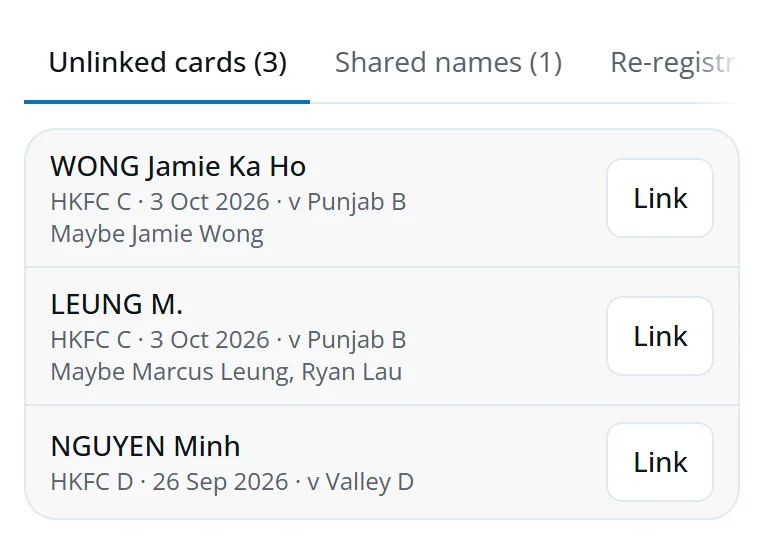
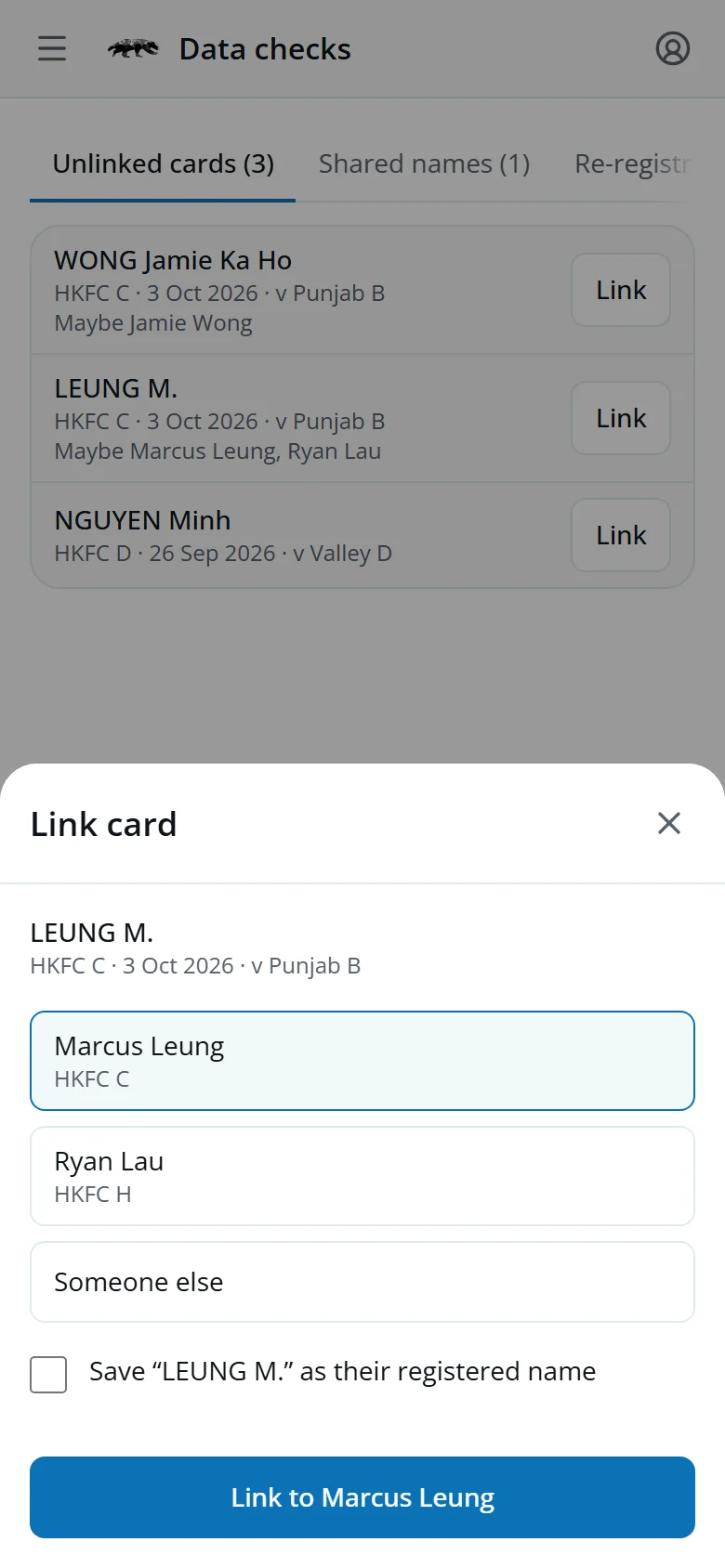
Link a match card
- Tap Link.
- Pick the suggestion, or Someone else and search.
- Tick Save … as their registered name if that's HKHA's name for them. Their other cards with it link too.
- Tap Link to Marcus Leung.
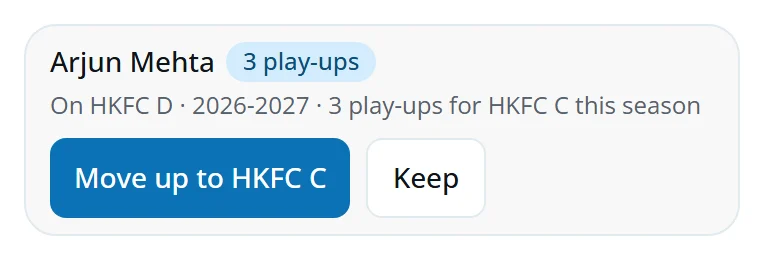
Re-registrations
A player moved up after their play-ups waits here for you.
- Tap Move up to …, or pick another team first.
- Or tap Keep to leave them where they are.
A move puts them back on To register.
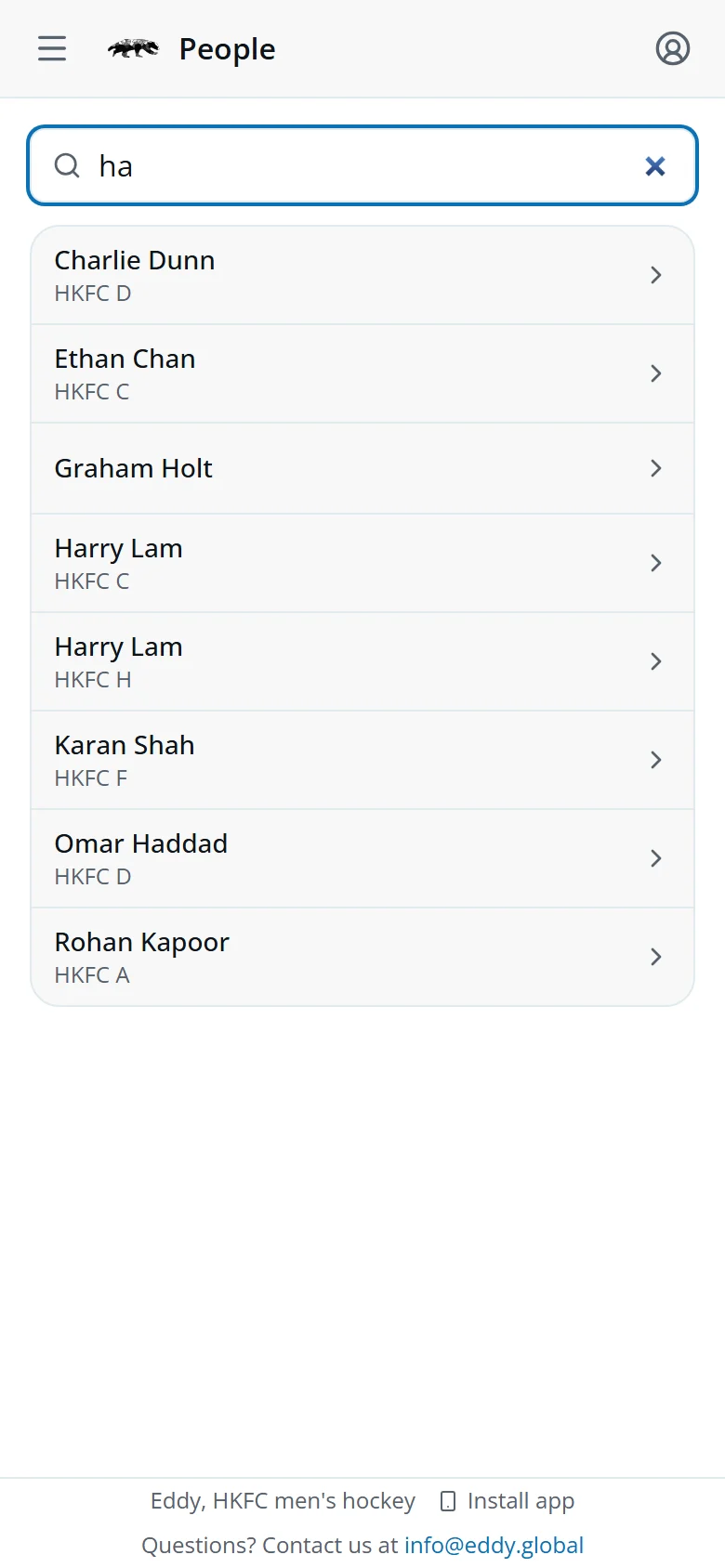
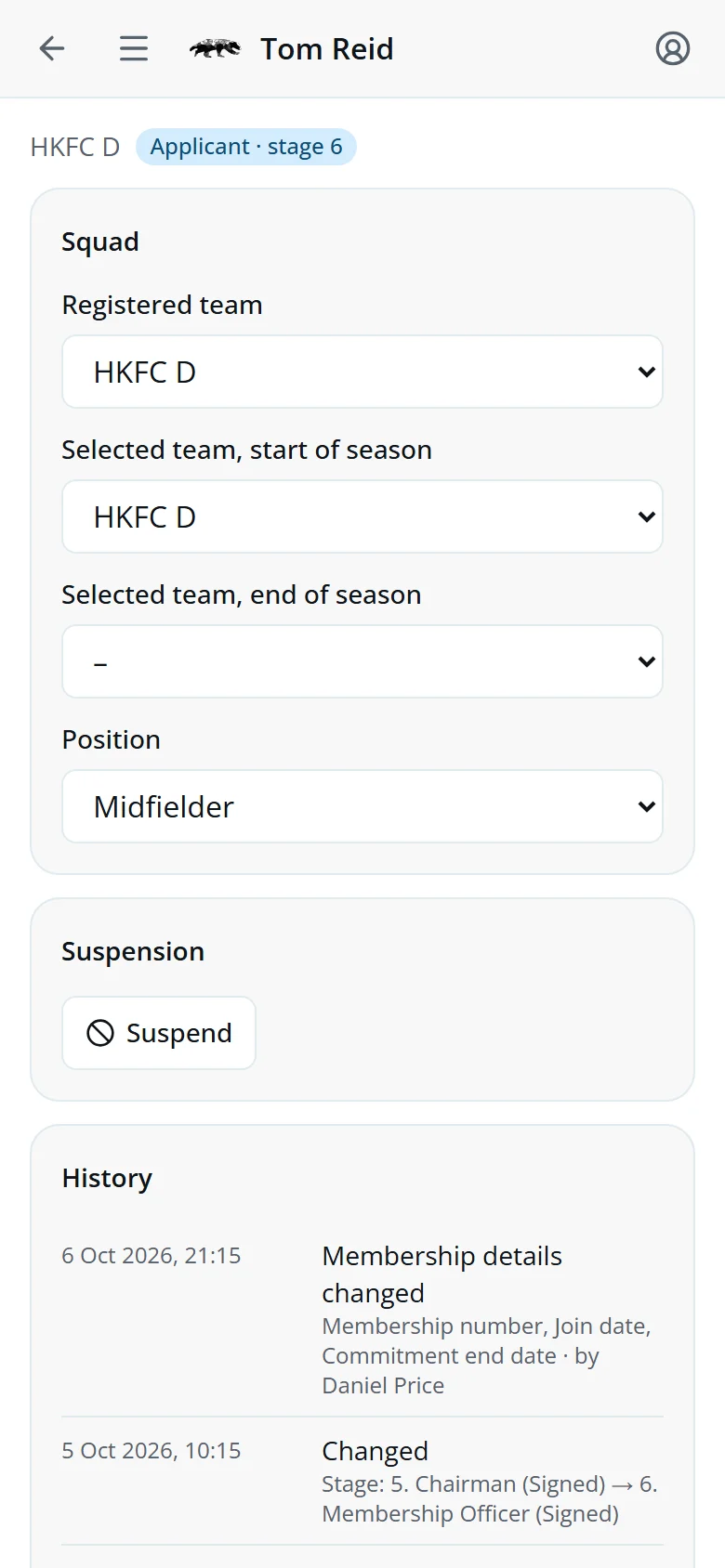
People and their page
Open People, type part of a name and tap the person.
- SquadRegistered team, selected teams and position.
- SuspensionSuspend opens Add a suspension with them filled in.
- HistoryEvery change, newest first, and who made it.
Change a team or position, then tap Save. Only you can change the registered team, and a new one puts them back on To register.
Quick answers
A player played but has no appearance.
Their match card didn't find them. Link it in Data checks, and save HKHA's spelling as their registered name.
Two players share a registered name.
Cards can't tell them apart. Change one name to exactly what HKHA has for them, on HKHA registration.
Registered with HKHA is greyed out.
They have no registered team. Set it on their page in People first.
A suspension was overturned on appeal.
Tap Clear on it. It moves to Cleared.
A card suspension looks wrong.
It comes from the match cards. Check the cards are linked to the right player in Data checks.