The week in four steps
-
Send the open slots
Send the Umpires group message. Umpires put their names down from its link.
-
Confirm paid offers
Free offers confirm themselves. Tap Confirm on the paid ones you want.
-
Fill the gaps
Tap Assign on any slot still open: a club umpire or an outside one.
-
Tell the captains
Send the Captains group message with the week's umpires.
The week's duties
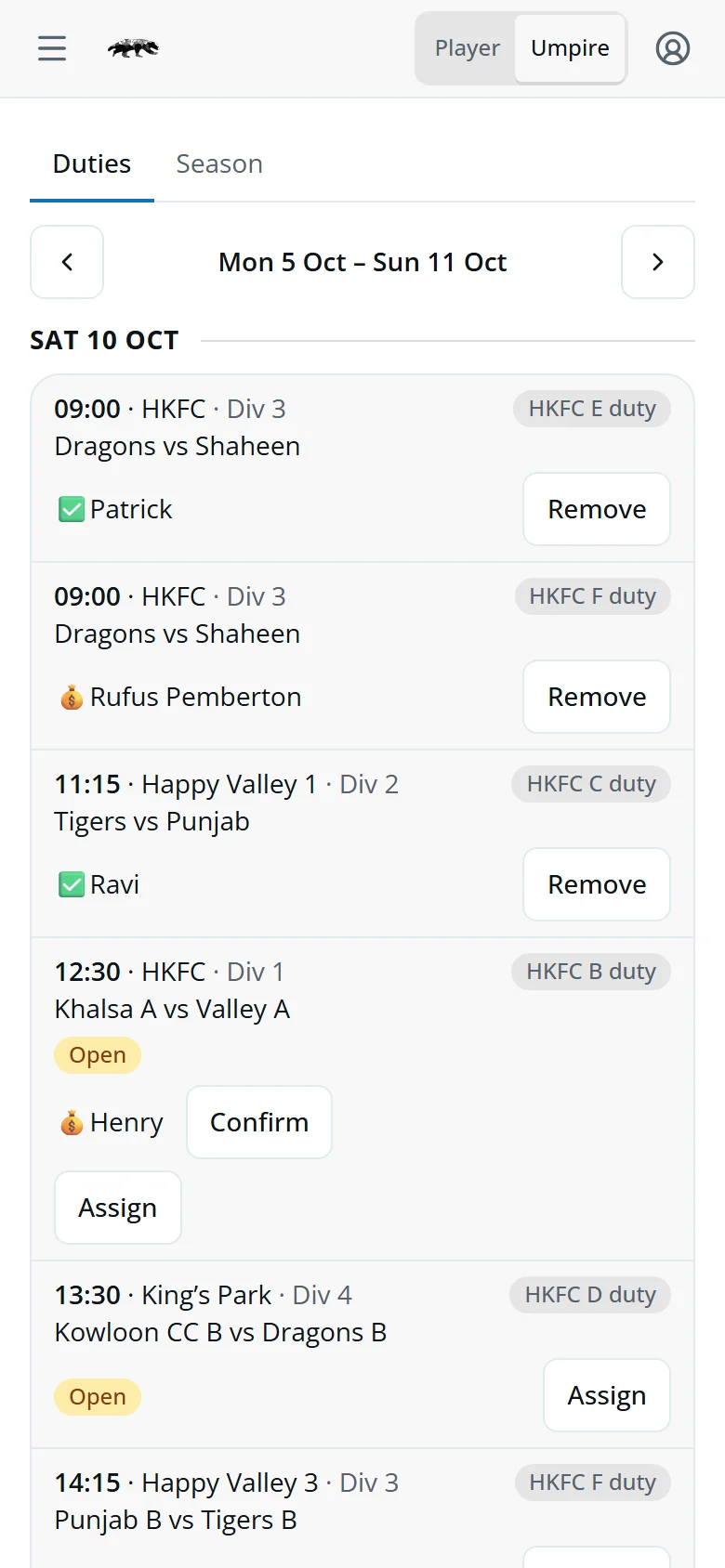
Tap Umpire in the switch at the top. The Umpire Coordinator and the Section Captains see every slot, with the tools to fill it.
Each slot shows the game, the ground, and which of the club's teams has the duty. Use the arrows for other weeks.
- ✅PatrickA club umpire, free.
- 💰RufusPaid: an outside umpire, or a member past their commitment.
- OpenNobody yet.
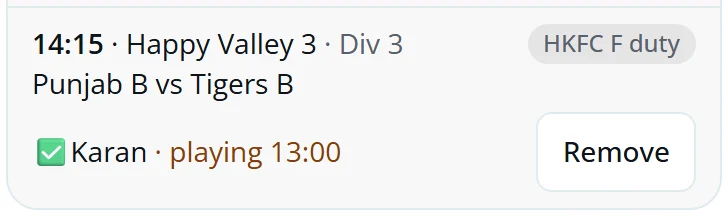
- · playing 13:00That umpire has their own game then.
Fill an open slot
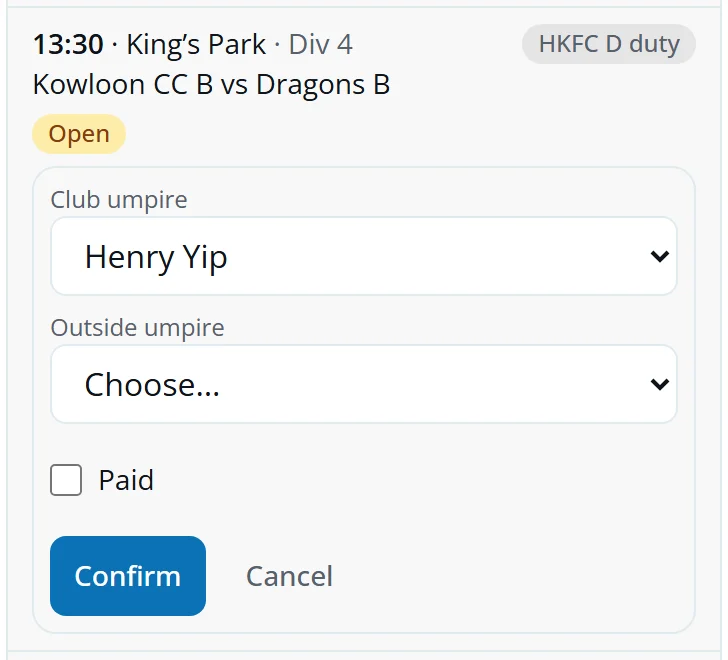
- Tap Assign.
- Pick a Club umpire, or an Outside umpire.
- For a club umpire past their commitment, tick Paid if you're paying them.
- Tap Confirm.
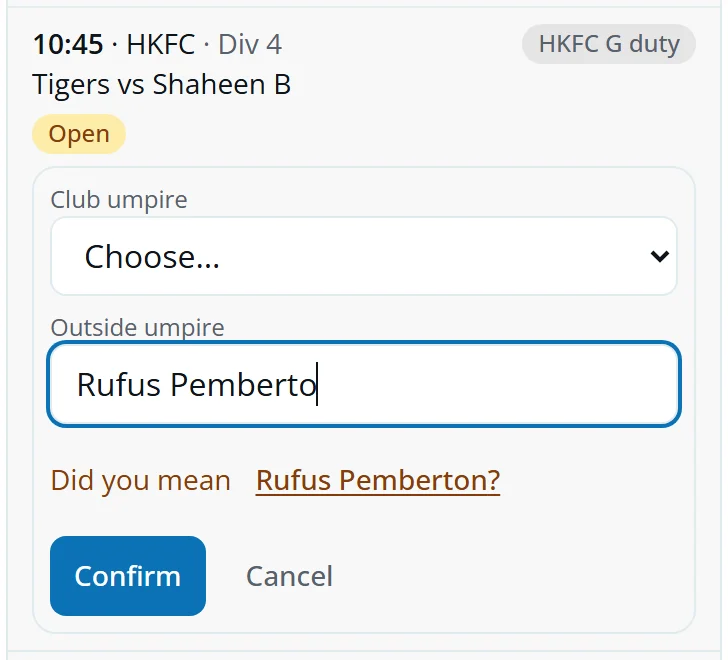
Someone new from outside? Pick New name… and type it. If it looks like a name you've used before, Eddy asks Did you mean. Tap it to keep one spelling.
To take someone off, tap Remove. You have a few seconds to Undo.
Paid offers and clashes
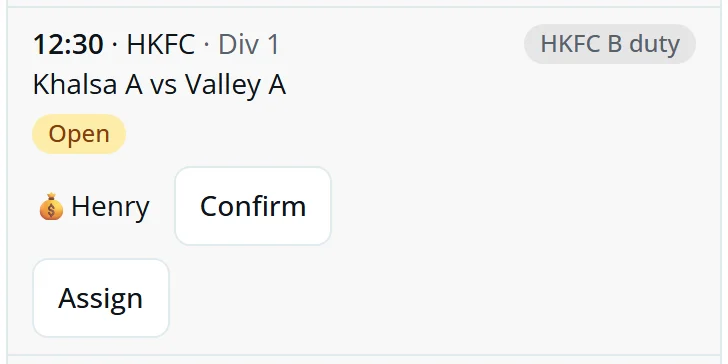
A free offer takes the slot straight away. A paid offer waits for you, with its name under the slot.
- ConfirmThey umpire, paid.
- AssignPut someone else down instead.
· playing 13:00 means the umpire's own game overlaps. It shows in the Assign list too.
Cancelled and moved games
Eddy reads the HKHA fixtures every day.
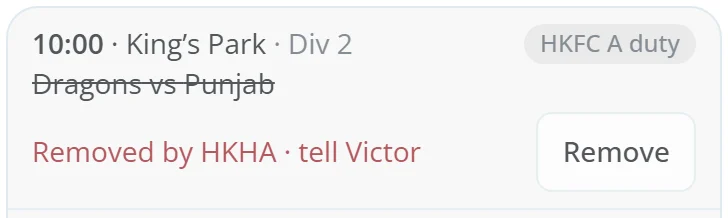
- Removed by HKHAThe game is off. Tell the umpire named, then tap Remove. If HKHA lists a new date, it shows as a new open slot.
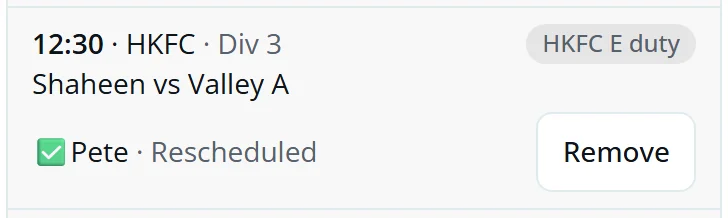
- RescheduledThe time or date changed. The umpire keeps the slot and Eddy tells them.
- TBCHKHA hasn't set the time or ground yet.
The two messages
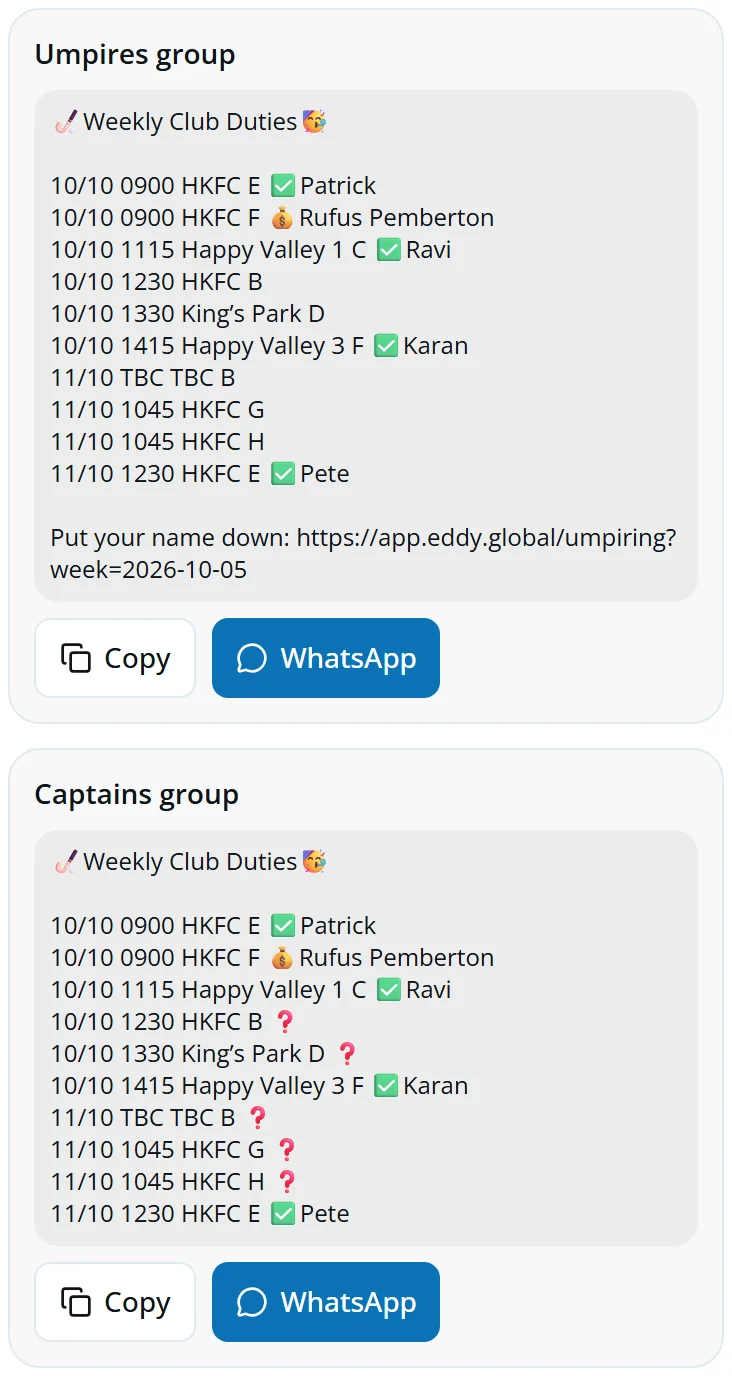
Under the week, Eddy writes both messages for you. They're only shown to the Umpire Coordinator.
- Umpires groupSend first. Every slot, the ones taken marked, and the link to put a name down.
- Captains groupSend once the week is filled. Every slot with its umpire; ❓ where it's still open.
Tap WhatsApp and pick the group, or Copy and paste it in.
No-shows
Eddy can't read the match cards of other clubs' games, so a slot with an umpire counts as umpired.
- Go back to last week with the arrow.
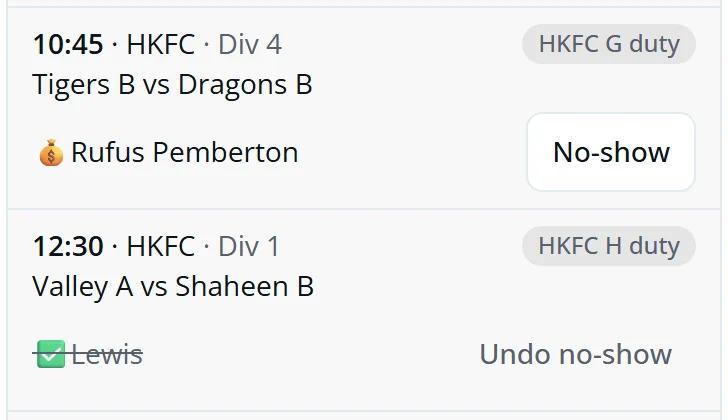
- Tap No-show on any slot whose umpire didn't turn up.
Marked by mistake? Tap Undo no-show.
Season report
Tap the Season tab.
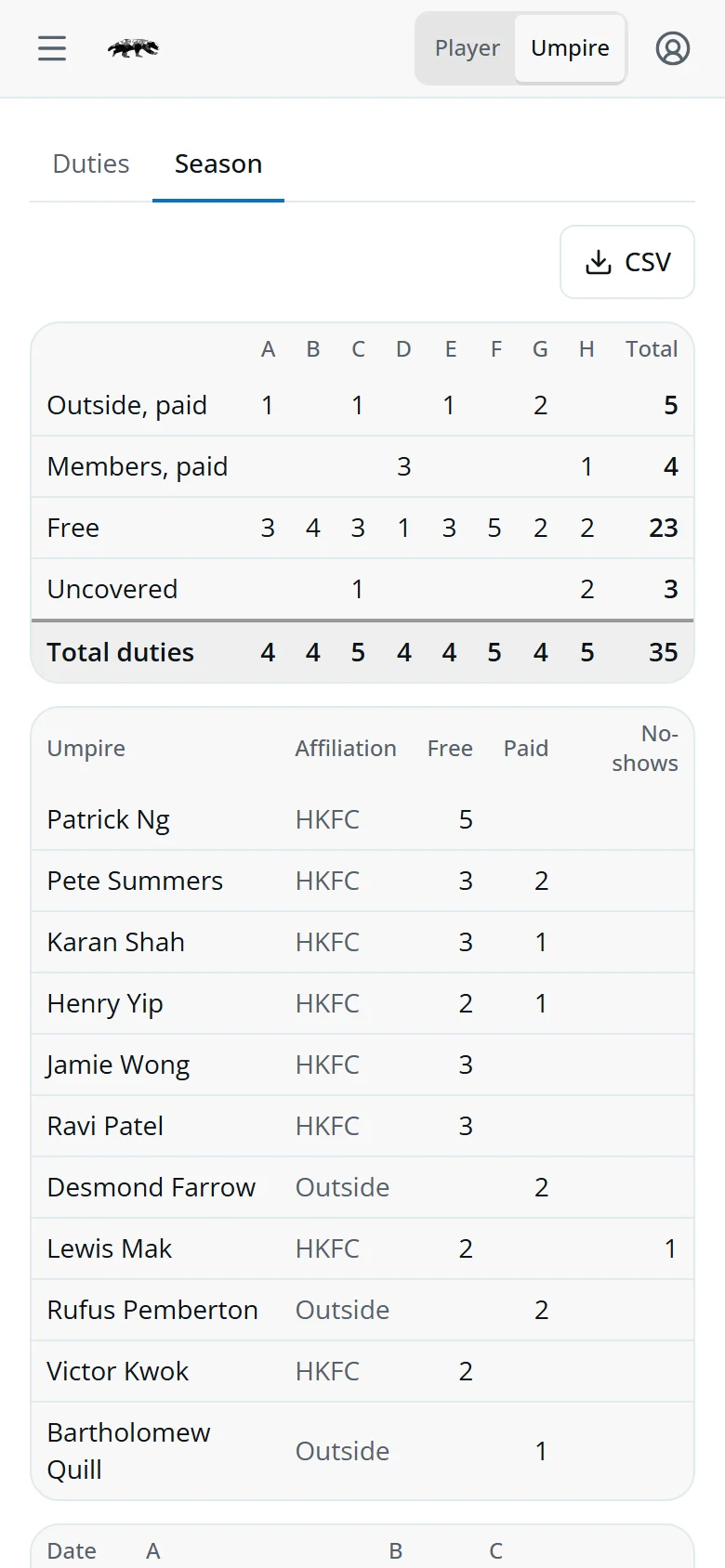
- By teamHow each team's duties were covered: outside paid, members paid, free, uncovered.
- UmpiresEach umpire's free and paid games, and no-shows.
- By dateWho umpired for each team, each match day. 💰 paid, ✗ no-show, – uncovered.
Tap CSV to download every duty played. Commitment reviews take the games umpired from here.
Taking a duty
Tap Umpire in the switch at the top, or the link in the Umpires group message.
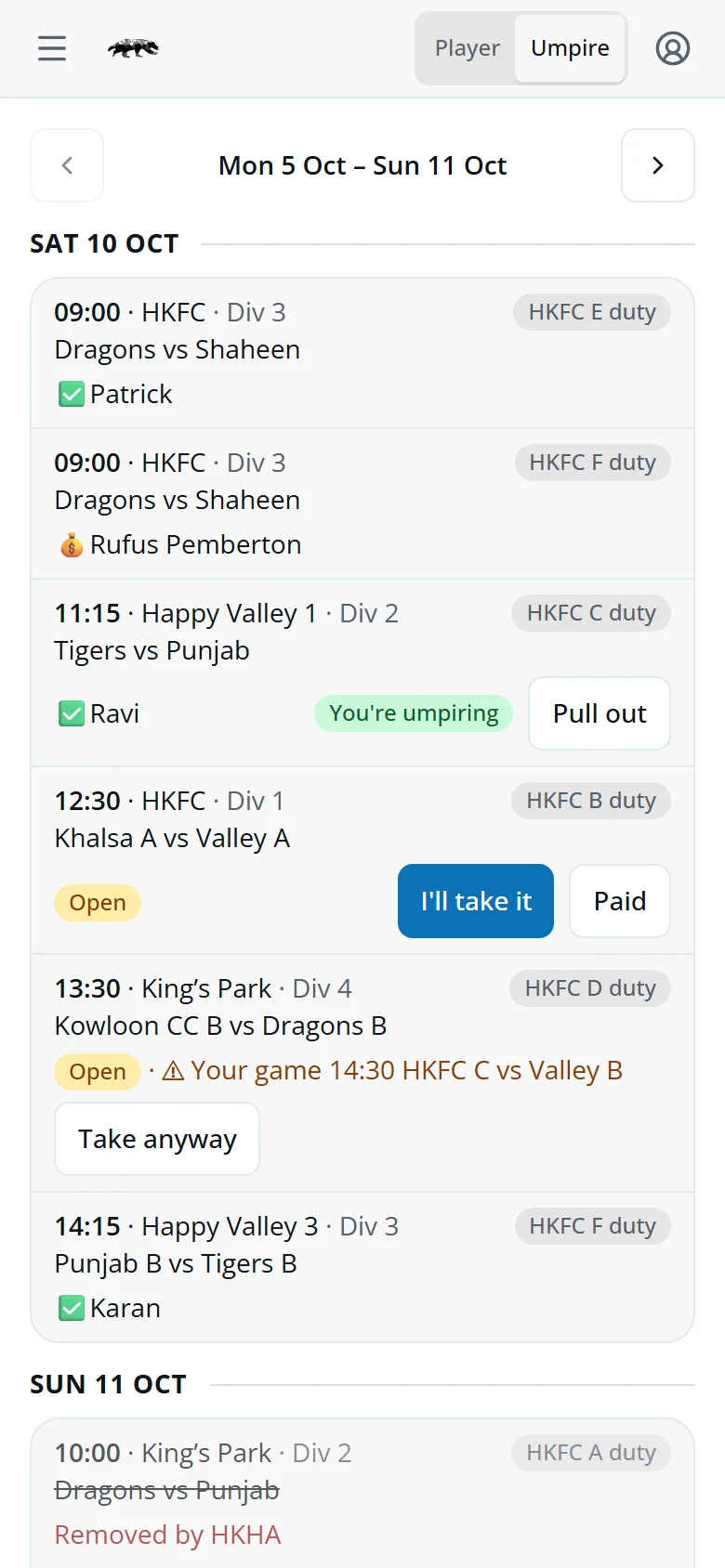
- I'll take itFree. It's yours straight away.
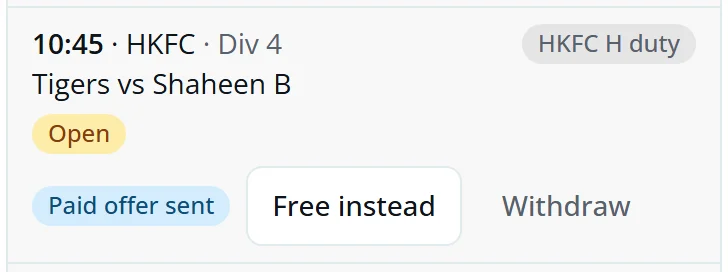
- PaidOnly once your commitment has ended. It waits for the Umpire Coordinator: Paid offer sent. Change your mind with Free instead or Withdraw.
- You're umpiringCan't make it? Tap Pull out.
- ⚠ Your gameIt overlaps your own game. Take anyway if you can do both.
Your next duty shows on your player screen as Your duty. If HKHA moves or cancels it, you get a line in your tasks.

Quick answers
I don't have Umpire in the switch.
It's for the club's qualified umpires and anyone who has umpired one of its games in the last 12 months. Qualified? Set your Umpiring qualification in My volunteering.
Why can't I choose Paid?
You're still on your commitment, so you umpire free.
Someone isn't in the Club umpire list.
It lists the club's qualified umpires and anyone who has umpired one of its games in the last 12 months. Ask them to set their Umpiring qualification in My volunteering.
Two people offered paid for the same slot.
Both names show under it. Confirm the one you want.
Can a Section Captain run the duties?
Yes. They see the same slots and buttons, but not the two messages.